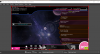
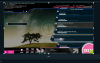
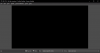
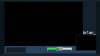
I recently wanted to stream again but for some reason my game capture wasn't capturing anything, it was just black. I deleted it and re-added it and now it kinda works but i can't resize/move the window. Theres no box when im on the window but when i tab into my game, the resizing box appears again. After tabbing out into OBS it disappears. Also my preview turns black when tabbing out, but i remember it just freezing instead of turning black. I tried it with Streamlabs OBS and OBS but both didn't work.
What if have done to try and fix this problem:
- Reinstall Streamlabs OBS and OBS multiple times
- Updated graphics driver (nvidia)
What if have done to try and fix this problem:
- Reinstall Streamlabs OBS and OBS multiple times
- Updated graphics driver (nvidia)