plokmijn27
New Member
This is a problem I encounter often when recording full screen gameplay, more particularly with older titles it seems, but it happens primarily when recording Elder Scroll Oblivion, Elder Scrolls Morrowind, or Fable The Lost Chapters full screen gameplay footage.
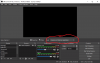
When scrolling in game features, for instance scrolling to select through different weapons, scrolling through save files, or scrolling through an inventory list etc. will cause both active, as well as inactive windows to occasionally scroll, through any scroll-able features in that window. In this case, the window is OBS, and the scrollable feature is the capture mode.
This is EXTREMELY problematic.
I understand this is not a direct issue caused by OBS, as it is an issue with certain games and how they work within windows; however I personally believe it to not be necessary for this to be a "scroll" box.
There aught to be a different way to implement this mode list, that doesn't utilize the mouse wheel for scrolling through, or any scrolling at all for that matter.
It may seem like a minor issue, but when you are recording gameplay footage in fullscreen, and you go to scroll through your inventory, and it randomly decides to scroll through the capture modes, and sets it from "capture any fullscreen app" to "capture specific window", it sets it to a black screen without me knowing, since I am focused on the game, and since there is no specified specific window, because it's not set, because I don't use that capture mode.
Again, there aught to be a way to implement this mode list in a different way, that doesn't result in entire gameplay videos needing to be scrapped, due to being recorded as a black screen because of a random scrolling issue.
Log File is N/A in this case
When scrolling in game features, for instance scrolling to select through different weapons, scrolling through save files, or scrolling through an inventory list etc. will cause both active, as well as inactive windows to occasionally scroll, through any scroll-able features in that window. In this case, the window is OBS, and the scrollable feature is the capture mode.
This is EXTREMELY problematic.
I understand this is not a direct issue caused by OBS, as it is an issue with certain games and how they work within windows; however I personally believe it to not be necessary for this to be a "scroll" box.
There aught to be a different way to implement this mode list, that doesn't utilize the mouse wheel for scrolling through, or any scrolling at all for that matter.
It may seem like a minor issue, but when you are recording gameplay footage in fullscreen, and you go to scroll through your inventory, and it randomly decides to scroll through the capture modes, and sets it from "capture any fullscreen app" to "capture specific window", it sets it to a black screen without me knowing, since I am focused on the game, and since there is no specified specific window, because it's not set, because I don't use that capture mode.
Again, there aught to be a way to implement this mode list in a different way, that doesn't result in entire gameplay videos needing to be scrapped, due to being recorded as a black screen because of a random scrolling issue.
Log File is N/A in this case