This is an issue I have had for over a year now. Google searches with keywords such as Streamelements + Browser Source + Scaling (or resolution) don't bring up anything related.
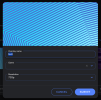
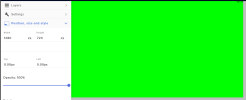
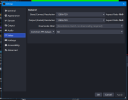
My Scenes created in Streamelements are set at a 720 resolution (720x1280 for all references to 720 in this post). My OBS canvas is also set at 720 (not downscaling). The browser properties in OBS are set at a 720 resolution. However, once the overlay is added in OBS, the scaling of the content inside the browser is not correct.
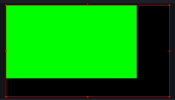
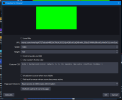
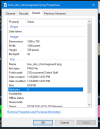
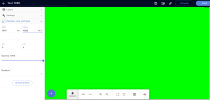
Here is an example. I created a new Scene in Streamelements with a 720 canvas. I added an image (a solid green box) which was also 720. I made sure the image was fully scaled and positioned to match the size of the canvas (ie, it does not extend past the border of the canvas). I added a new 720 browser source to OBS and the contents don't match.
I am currently using OBS Studio 30.2.3 (64 bit).
Of note: the actions inside the browser source function (alerts and so forth).
My Scenes created in Streamelements are set at a 720 resolution (720x1280 for all references to 720 in this post). My OBS canvas is also set at 720 (not downscaling). The browser properties in OBS are set at a 720 resolution. However, once the overlay is added in OBS, the scaling of the content inside the browser is not correct.
Here is an example. I created a new Scene in Streamelements with a 720 canvas. I added an image (a solid green box) which was also 720. I made sure the image was fully scaled and positioned to match the size of the canvas (ie, it does not extend past the border of the canvas). I added a new 720 browser source to OBS and the contents don't match.
I am currently using OBS Studio 30.2.3 (64 bit).
Of note: the actions inside the browser source function (alerts and so forth).