Browser custom dock error

  • Thread starter Thread starter Deleted member 246571
  • Start date Start date
D

Deleted member 246571

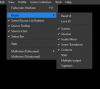
So i have been using a custom browser dock for my twitch dashboard, eliminating the need for me to have a useless google page open the entire stream, and very recently (yesterday) i lost the ability to interact with that browser dock. normally i can change the stream title and run ad breaks (i dont do that but i COULD :p) now i have completely lost the ability to click anything. The rest of OBS works fine, but this dock acts like an image... any ideas?
 
Click in the dock and Ctrl+R. If that doesn't fix it, close the dock and reopen it. If that doesn't work, delete it from Custom Browser Docks, close OBS, open OBS and add it back.
 
Click in the dock and Ctrl+R. If that doesn't fix it, close the dock and reopen it. If that doesn't work, delete it from Custom Browser Docks, close OBS, open OBS and add it back.
done all three already
 
i lost the ability to interact with that browser dock. I

I was surprised there was not more support for this question because there seem to be a lot of people asking why the CUSTOM DOCKS vanished off their OBS... I have not found any answers.
 

Attachments

  • Screen Shot 11-11-20 at 05.53 PM 001.PNG
    Screen Shot 11-11-20 at 05.53 PM 001.PNG
    11.1 KB · Views: 657
Back
Top