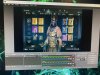
M misterghosty New Member Jun 19, 2020 #1 They won’t go away, and the resolution is set to 1920x1080, but nothing is working, and when i stream the quality is terrible Attachments 80B128CE-8FC4-49B9-B624-7ABC5C2863DE.jpeg 108.7 KB · Views: 59
They won’t go away, and the resolution is set to 1920x1080, but nothing is working, and when i stream the quality is terrible
M misterghosty New Member Jun 19, 2020 #3 https://obsproject.com/logs/01VZTQqgFBNUhxBS Here are my logs, sorry I didnt know how to do it before.
https://obsproject.com/logs/01VZTQqgFBNUhxBS Here are my logs, sorry I didnt know how to do it before.
were491 Member Jun 19, 2020 #4 your game is 4:3, so your base resolution should ideally also be 4:3. (aka, try 1440x1080 and see if you stillget black bars)
your game is 4:3, so your base resolution should ideally also be 4:3. (aka, try 1440x1080 and see if you stillget black bars)
carlmmii Active Member Jun 20, 2020 #5 The game is 16:9, but the resolution being used for capture is 4:3. Change your elgato's capture resolution to match your console's output (either 720p or 1080p). Then resize the source to fit your canvas.
The game is 16:9, but the resolution being used for capture is 4:3. Change your elgato's capture resolution to match your console's output (either 720p or 1080p). Then resize the source to fit your canvas.