George Kenner
New Member
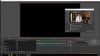
First I think that the concept of OBS is perfect, putting this tech in the hands of so many for "FREE" is so great. Now having said that, for the life of me I can not get a media file (MP4) to even display let alone play on my system. I had this working perfectly and even tested all the links in a sample broadcast, only to come back the next day and find that the videos would not display. THE ONLY change that I could find in my computer was a forced update by Windows 10.
I put all the files for the broadcast in the same folder, including images (jpegs) and they still display fine. I have moved the Mp4s to a new folder, I have even deleted and reloaded OBS. I have had a Moderator look at the Mp4 File and at my log and nothing looks bad. So where is the BUG that is blocking the view of the video?
At least for me this system is valueless if I can not point to a few simple video samples during a broadcast. I can not even do a pre roll for my audience to look at as they join the broadcast. I hope putting this on the bug side hoping this aids the developers, see a problem.
I put all the files for the broadcast in the same folder, including images (jpegs) and they still display fine. I have moved the Mp4s to a new folder, I have even deleted and reloaded OBS. I have had a Moderator look at the Mp4 File and at my log and nothing looks bad. So where is the BUG that is blocking the view of the video?
At least for me this system is valueless if I can not point to a few simple video samples during a broadcast. I can not even do a pre roll for my audience to look at as they join the broadcast. I hope putting this on the bug side hoping this aids the developers, see a problem.