
Background removal not working

Pixel Mouse

New Member
Hey guys pretty new to OBS... I'm having issues with the OBS background removal. I installed it assumingly correctly and after an OBS restart the filter shows up to be selected of the Audio/Video camera filters panel. When I click it the options show up but the camera image doesnt load in and only produces a black screen. I've tried the sliders and most if not all options to get any results but to no avail.

I've also tried different camera sources but nothing is working. Can anyone help?

Thanks!!
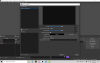
 

Attachments

  • Screenshot (19).png
    Screenshot (19).png
    93.3 KB · Views: 1,074
I can also attest to facing the exact same issue as Pixel Mouse has described. I've tried messing around the the settings for Background Removal, including the Chroma Key filter, & my webcam still does not appear at all. Chroma Key does actually work fine, as it will turn the entire webcam area gray if you filter out the same color as you choose your background to be. If there is a solution for the issue, I am very interested to know.
 
As this is not a part of baseline OBS functionality, you will need to reach out to the plugin developer for support with their plugin.

There should be a Discussion thread on the plugin page where they can be contacted.
 
Hi guys, new member here, have the same issue of background removal not woking! Just black out where filter is applies!
 
Hi all, I had this same issue and you need to make sure you are using the correct Nvidia SDK version for your GPU. There are 3 different ones depending on your GPU architecture. One for ampere, one for ada, one for turing and once I installed the correct version it works!
 
Back
Top