

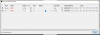
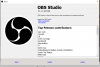
Please Help. I am currently using OBS to stream to Youtube and my audio is not syncing with my video. I have tried to use the offset tool, but it doesn't seem to work. I have included the version that I am using and a screenshot of the offset settings. I have been fighting this battle for quite some time now.
You are using an out of date browser. It may not display this or other websites correctly.
You should upgrade or use an alternative browser.
You should upgrade or use an alternative browser.
Audio Video Sync
- Thread starter London Jr
- Start date
It looks like you are taking video from your camera and audio from a mic.
Can't know precisely what you are dealing with but not getting audio from the
camera means the two are not in sync. The offset should be able to take care of this
but it can be tricky to get it right. Unless the audio delay feature is broken.
I forget if the control changes happen as you adjust it or when you dismiss the dialog box.
Are you also using the camera1 audio along with the mic?
Can't know precisely what you are dealing with but not getting audio from the
camera means the two are not in sync. The offset should be able to take care of this
but it can be tricky to get it right. Unless the audio delay feature is broken.
I forget if the control changes happen as you adjust it or when you dismiss the dialog box.
Are you also using the camera1 audio along with the mic?
Start your Youtube broadcast and goLive
Watch your youtube live broadcast on another device ie android or iphone or another computer
Do a "clap" test into the remote mic you will be using (not the camera mic if you are using it)
Listen thru your "other" device. (NOT thru OBS)
The sound should lead the video anywhere between 250 to 1500ms.
If you are watching and trying to adjust the delay thru OBS, you're doing it wrong.
The above instructions is how you do it.
If you are using your camera mic the sound should be in sync with its own video
Watch your youtube live broadcast on another device ie android or iphone or another computer
Do a "clap" test into the remote mic you will be using (not the camera mic if you are using it)
Listen thru your "other" device. (NOT thru OBS)
The sound should lead the video anywhere between 250 to 1500ms.
If you are watching and trying to adjust the delay thru OBS, you're doing it wrong.
The above instructions is how you do it.
If you are using your camera mic the sound should be in sync with its own video
Further explanation on " If you are watching and trying to adjust the delay thru OBS, you're doing it wrong."
If you are previewing your video on OBS you will notice a slight delay in your action (function of computer speed)
DON'T adjust THAT delay, but the delay that from the "other" device that is "Live"
That delay should be entered into the "Advance Audio Properties" for that mic.
Keep in mind this setup procedure MUST be check each time you do a new YouTube Live Broadcast.
Sometimes the setting don't change, and sometimes they do.
Good Luck
If you are previewing your video on OBS you will notice a slight delay in your action (function of computer speed)
DON'T adjust THAT delay, but the delay that from the "other" device that is "Live"
That delay should be entered into the "Advance Audio Properties" for that mic.
Keep in mind this setup procedure MUST be check each time you do a new YouTube Live Broadcast.
Sometimes the setting don't change, and sometimes they do.
Good Luck
Gotcha. I have done all of the above, but the audio does not adjust at all. I have the offset value set for the X32 and the camera doe not have a mic attached to it at all. I have not found the ability to mute the cameras at all (I can in OBS Streamlabs). But I get better updating through StudioFurther explanation on " If you are watching and trying to adjust the delay thru OBS, you're doing it wrong."
If you are previewing your video on OBS you will notice a slight delay in your action (function of computer speed)
DON'T adjust THAT delay, but the delay that from the "other" device that is "Live"
That delay should be entered into the "Advance Audio Properties" for that mic.
Keep in mind this setup procedure MUST be check each time you do a new YouTube Live Broadcast.
Sometimes the setting don't change, and sometimes they do.
Good Luck