Question / Help Applying Filter makes scene disappear

CyberProjekt

New Member
Hey all,

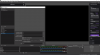
When I'm applying a new filter to a source (webcam), it makes the entire webcam source disappear completely until I uncheck the filter...

Any ideas?

Thanks in advance!
 

Attachments

  • Untitled.png
    Untitled.png
    86.3 KB · Views: 40
You'll need to reach out to the ShaderFilter dev about that. It's a third-party plugin, and not a part of the base OBS Studio install.

I've had mixed results with SF myself, sometimes it blanks things out apparently for no reason, sometimes it NEEDS an .effect or .shader loaded to show anything at all on the source. And of course, it doesn't give any indication of why, or what's wrong.

 
You'll need to reach out to the ShaderFilter dev about that. It's a third-party plugin, and not a part of the base OBS Studio install.

I've had mixed results with SF myself, sometimes it blanks things out apparently for no reason, sometimes it NEEDS an .effect or .shader loaded to show anything at all on the source. And of course, it doesn't give any indication of why, or what's wrong.

Thanks for reaching out, FerretBomb!

It's super frustrating but hopefully I will get it working one day!
 
Back
Top