Application Audio Capture (BETA) same as Capture Audio (BETA) in a source is bugged.

shadiiv2

New Member
Hey

I'm trying to fix this problem for many months now and this is probably the last try I have. I've used these features for a long time without a problem but for the last few months I was trying everything I could to fix them. I need this so my VODs won't have any music in them but I also just like the freedom of muting my discord if I'm playing with people where I'm unsure if they don't want to be heard on a stream.

I've seen people reinstall OBS with the same problem saying it doesn't fix it for them so I've avoided that since I didn't want to set up my whole OBS from the ground up again.

I'll also post a clip where you can hear the problem I'm facing the last few months. It seems to kinda fade in and also just stop randomly again. Did anyone here already experience this issue and has a fix for it? Is it a known issue?

Thanks in advance!

 
I had a similar issue with a browser source w/ audio vs all other audio in my footage... I found that making sure that the sample rate in my OBS Audio settings matched the sample rate of the computer's audio source seemed to fix this.

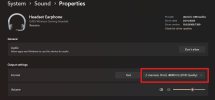
In Windows, go to Settings > System > Sound and open up the output device you are using. Make sure this matches the Sample Rate in OBS.

In some/many cases, your output device (headphones/speakers etc) may only have one option, usually 44kHz or 48kHz. More premium/professional hardware may have many... the trick is to make sure that ALL your hardware matches up, so I recommend also checking your mic sample rate and any other devices you will be using can all align to the same rate fopr the best chance at clarity

(for example, I had to make sure my Elgato Wave AND Voicemod output were both the same)

EDIT: More info... What I suspect is happening here is that your game is sending audio to your headphones which sounds great/no issues, and ONLY your capture footage is having this problem... if thats the case, you either need to change OBS's Sample rate to match (if your mic and headphones are both on the same sample rate) or if you have premium hardware with sample rates above OBS's available 44/48kHz offerings, settings these down to match OBS in your Windows Sounds settings.
 

Attachments

  • Screenshot 2026-01-18 011139.png
    Screenshot 2026-01-18 011139.png
    64.6 KB · Views: 45
I had a similar issue with a browser source w/ audio vs all other audio in my footage... I found that making sure that the sample rate in my OBS Audio settings matched the sample rate of the computer's audio source seemed to fix this.

In Windows, go to Settings > System > Sound and open up the output device you are using. Make sure this matches the Sample Rate in OBS.

In some/many cases, your output device (headphones/speakers etc) may only have one option, usually 44kHz or 48kHz. More premium/professional hardware may have many... the trick is to make sure that ALL your hardware matches up, so I recommend also checking your mic sample rate and any other devices you will be using can all align to the same rate fopr the best chance at clarity

(for example, I had to make sure my Elgato Wave AND Voicemod output were both the same)

EDIT: More info... What I suspect is happening here is that your game is sending audio to your headphones which sounds great/no issues, and ONLY your capture footage is having this problem... if thats the case, you either need to change OBS's Sample rate to match (if your mic and headphones are both on the same sample rate) or if you have premium hardware with sample rates above OBS's available 44/48kHz offerings, settings these down to match OBS in your Windows Sounds settings.
Thanks for your response!

I just checked my sample rates, my A50 is at 48kHz so it matches my OBS setting.
1768687354414.png


My microphone tho doesn't seem to have the option to go lower then 96kHz.
1768687408682.png

Did you do any other changes besides the sample rate maybe?

I should also add that my microphone never seems to bug out, only the singular audios. For example: My game sounds perfectly fine but my music bugs out, sometimes the other way around.
 
Apologies I just saw this.

Sadly, my audio knowledge becomes a bit more limited from this point, as that fix was enough for me to continue on.

... Possibly changing the mic to 24-bit may help? I'm guessing here, but having different bitrates for your inputs (desktop audio and mic) might mean its needing to change its processing power on the fly to accomodate? Someone smarter with audio can confirm or deny if thats the case here

I should also add that my microphone never seems to bug out, only the singular audios. For example: My game sounds perfectly fine but my music bugs out, sometimes the other way around.

From the VOD you posted with your OP, its worth noting that the music isnt playing in that video, or (more likely) its removed based on your audio track setup. In any case, the game audio does bug out in that example video to still understand what's happening.

As it looks like you're using Spotify, I'd also recommend you check that Hardware Acceleration is turned on in that app as well (Menu aka "..." > Edit > Preferences > Look for "Compatibility" at the bottom of the list)
 
Back
Top