AMD recording/streaming encoder settings

zinidoto

New Member
I just got a 7900x3d paired with a 7900 xtx. I am not really sure what encoder settings to use for recording and streaming.
When I am streaming, I am just streaming not recording and streaming and for recording its just recording
I have a 2k monitor 165hz.
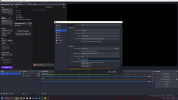
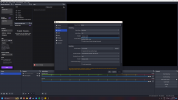
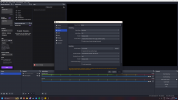
The photo attached is what I have so far but not sure which ones out of all the options are the best to use
 

Attachments

  • Screenshot (126).png
    Screenshot (126).png
    311.7 KB · Views: 1,283
  • Screenshot (127).png
    Screenshot (127).png
    318 KB · Views: 1,276
  • Screenshot (128).png
    Screenshot (128).png
    312.3 KB · Views: 1,272
Create 2 profiles. One for streaming, one for recording.
Now, for each one, run the Auto-configuration Wizard (tools menu) and apply the settings it gives. Restart OBS and test.

Of course, select streaming for the streaming profile and recording on the recording profile when running the Auto-configuration Wizard.
 
Create 2 profiles. One for streaming, one for recording.
Now, for each one, run the Auto-configuration Wizard (tools menu) and apply the settings it gives. Restart OBS and test.

Of course, select streaming for the streaming profile and recording on the recording profile when running the Auto-configuration Wizard.
when you say profile, do you mean 2 different scenes?
 
No, I meant Profiles.
Look in Profiles menu. You can use the same scene collection or create a new one if you need to. Profiles and Scene Collections are stored separatelly, so you can select them separately too, this way you can have multiple scene collections and profiles avoiding having a massive scenes clutter.
 
No, I meant Profiles.
Look in Profiles menu. You can use the same scene collection or create a new one if you need to. Profiles and Scene Collections are stored separatelly, and select them separately too, this way you can have multiple scene collections and profiles avoiding having a massive scenes clutter.
I posted a thread how do i get someone to reply to me.. sorry dont mean to go off someone else’s comment just need some help
 
No, I meant Profiles.
Look in Profiles menu. You can use the same scene collection or create a new one if you need to. Profiles and Scene Collections are stored separatelly, so you can select them separately too, this way you can have multiple scene collections and profiles avoiding having a massive scenes clutter.
ohh i see what you're saying. does it matter if I use my gpu or cpu to encode? when I try using the Auto-configuration Wizard it asked if i wanted to prefer hardware encoding but dunno if its worth or not
 
Back
Top