

You are using an out of date browser. It may not display this or other websites correctly.
You should upgrade or use an alternative browser.
You should upgrade or use an alternative browser.
AMD drivers - 24.9.1, I'm unable to stream using the 7800XT graphics
- Thread starter mr. YARS
- Start date

mr. YARS
New Member
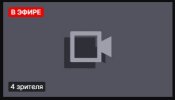
I also noticed that if you stream with these drivers on October 1, 2024, thumbnails for the streams are not created on Twitch. I scrolled through the Twitch stream feed and checked streams without covers, and I found that those users also had AMD graphics cards. Most likely, they just updated their drivers and are streaming with glitches.
I posted about this issue on the AMD forum, but there was no response at all. I don't know what to do now. Should I just wait for new drivers? What if they don't fix the problem at all?
Live streams look like this (screenshot 1), and then they're saved as shown in screenshot 2.
P. S.
I found a similar problem here on the forum. - https://obsproject.com/forum/threads/stream-thumbnail-folder.180784/
I posted about this issue on the AMD forum, but there was no response at all. I don't know what to do now. Should I just wait for new drivers? What if they don't fix the problem at all?
Live streams look like this (screenshot 1), and then they're saved as shown in screenshot 2.
P. S.
I found a similar problem here on the forum. - https://obsproject.com/forum/threads/stream-thumbnail-folder.180784/
Attachments

Last edited:

PaiSand
Active Member
It may be due to an issue during the update. Try performing a clean install: Performing a clean GPU driver installation | OBS Forums
If with that still the issue persist, do the same procedure but installing the previous driver you had installed.
If with that still the issue persist, do the same procedure but installing the previous driver you had installed.

Benman2785
Member
do you use AMF?
try to set custom options: ProfileLevel=42 MaxNumRefFrames=4 CABACEnable=true EnablePreAnalysis=true RateControlPreanalysisEnable=true RateControlSkipFrameEnable=false EnforceHRD=true FillerDataEnable=true AdaptiveMiniGOP=true EnableVBAQ=true DeBlockingFilter=true HalfPixel=true QuarterPixel=true HighMotionQualityBoostEnable=true MaxConsecutiveBPictures=3 BPicturesPattern=3 BReferenceEnable=true PALookAheadBufferDepth=41 PAFrameSadEnable=true PAPerceptualAQMode=1 PATemporalAQMode=1 PACAQStrength=2 PAHighMotionQualityBoostMode=0
try to set custom options: ProfileLevel=42 MaxNumRefFrames=4 CABACEnable=true EnablePreAnalysis=true RateControlPreanalysisEnable=true RateControlSkipFrameEnable=false EnforceHRD=true FillerDataEnable=true AdaptiveMiniGOP=true EnableVBAQ=true DeBlockingFilter=true HalfPixel=true QuarterPixel=true HighMotionQualityBoostEnable=true MaxConsecutiveBPictures=3 BPicturesPattern=3 BReferenceEnable=true PALookAheadBufferDepth=41 PAFrameSadEnable=true PAPerceptualAQMode=1 PATemporalAQMode=1 PACAQStrength=2 PAHighMotionQualityBoostMode=0
Benman2785
Member
??? do you use AMD AMFenc h264 or Software x264???
the 24.9.1 has no problem (actually there are problems - but not those you said here) streaming h264 via AMFenc: here you can see a video: https://www.youtube.com/watch?v=gG0K_JwjG4U
i am streaming with OBS 31.0.0-beta1 on my AMD RX 7700XT
the 24.9.1 has no problem (actually there are problems - but not those you said here) streaming h264 via AMFenc: here you can see a video: https://www.youtube.com/watch?v=gG0K_JwjG4U
i am streaming with OBS 31.0.0-beta1 on my AMD RX 7700XT
Benman2785
Member
ah ok - now i know what you mean - the stream shows no thumbnail! yes this is correct
it maybe has to do with AMD AMF not being fully flv (flashvideo) compatible - but as also Ngreedia is having this issue i guess it could also being twitch having not enough resources to check your stream for a thumbnail or an OBS bug
it maybe has to do with AMD AMF not being fully flv (flashvideo) compatible - but as also Ngreedia is having this issue i guess it could also being twitch having not enough resources to check your stream for a thumbnail or an OBS bug
Benman2785
Member
yes, b-frames are working
btw - error persists in 24.10.1
btw - error persists in 24.10.1
yes, b-frames are working
btw - error persists in 24.1im having similar issues, i can stream just fine, but theres no thumbnail generated on twitch... any ideas what i can be? going to try a fresh driver install and see if that fixes it.