GabrielNighT
New Member
Hello, i want to start streaming on twitch but a need some advice about my internet ping and the right server for me.
I'm using OBS Studio + StreamElements plugin and few simple overlays ( static, not animated ) + stinger
I'm rocking a single PC setup, i will go for 720P@60FPS for starters and after i get to lvl up program i will switch to 900P@60FPS
Games: FPS mostly ( Apex, Warzone, Division2, Destiny2 etc... )
Last time i had some problems with bitrate going all over the place and was because i had my server set to auto and kept switching in the middle of my test stream.
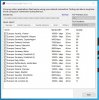
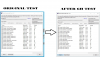
Now with R1ch's twitch bandwitch test i managed to find out the best servers but with 35/38 ping and 100 quality.
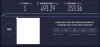
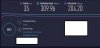
Down below i will post my PC setup and few pictures with internet tests and if you have the time can you confirm i can stream without any problems?
Stream setup: Nvenc NEW, 6000 bitrate, 720P@60FPS or 900P@60FPS, Lanczos quality.
PC setup:
- MB: ROG B450-F Gaming
- CPU: Ryzen 2700 FTW
- RAM: Corsair Vengeance 32GB @ 3000 Mhz
- GPU: MSI RTX 2070 Ventus
- Windows SSD : XPG SX6000 Lite 128GB
- Games SSD: Intel® 660p Series 512GB
- Rendering SSD : XPG SX6000 PRO 512GB
- PSU: nJoy Woden 750W 80+ Gold
- Case: MasterBox MB600L
- Monitor1: AOC G2590PX 144Hz
- Monitor2: AOC 2270W 60Hz ( chat/alerts )
- Webcam: Razer Kiyo
- Chroma key: Elgato Green Screen
I'm using OBS Studio + StreamElements plugin and few simple overlays ( static, not animated ) + stinger
I'm rocking a single PC setup, i will go for 720P@60FPS for starters and after i get to lvl up program i will switch to 900P@60FPS
Games: FPS mostly ( Apex, Warzone, Division2, Destiny2 etc... )
Last time i had some problems with bitrate going all over the place and was because i had my server set to auto and kept switching in the middle of my test stream.
Now with R1ch's twitch bandwitch test i managed to find out the best servers but with 35/38 ping and 100 quality.
Down below i will post my PC setup and few pictures with internet tests and if you have the time can you confirm i can stream without any problems?
Stream setup: Nvenc NEW, 6000 bitrate, 720P@60FPS or 900P@60FPS, Lanczos quality.
PC setup:
- MB: ROG B450-F Gaming
- CPU: Ryzen 2700 FTW
- RAM: Corsair Vengeance 32GB @ 3000 Mhz
- GPU: MSI RTX 2070 Ventus
- Windows SSD : XPG SX6000 Lite 128GB
- Games SSD: Intel® 660p Series 512GB
- Rendering SSD : XPG SX6000 PRO 512GB
- PSU: nJoy Woden 750W 80+ Gold
- Case: MasterBox MB600L
- Monitor1: AOC G2590PX 144Hz
- Monitor2: AOC 2270W 60Hz ( chat/alerts )
- Webcam: Razer Kiyo
- Chroma key: Elgato Green Screen