GokhanKilic
New Member
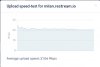
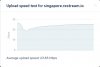
Hello. My problem is, I can easily stream on PS4 with 1080p60 6000 bitrate however my bandwidth seems to be limited on my laptop. When I run "Twitch Bandwidth Test" the maximum I get is 3900kbps on London(4) Server with 131 ms and 68 quality. (I live in Dubai if it's relavant) The other servers range between 2000 to 3800. How do you think that it's possible to stream on PS4 without any issues yet my laptop can't reach anywhere near to my actual upload speed, which is 30mbit.
Some details:
-I'm using CAT7 ethernet cable,
-I tried to update and downgrade ethernet card drivers,
-I reformatted w10,
-I disabled windows defender,
-I opened the port for Twitch streaming (1935),
-I tried different routers,
-I tried to run the bandwidth test in safe mode,
-I disabled all startup services,
-My upload speed is fine aside from streaming on Twitch.
I'm pretty new at streaming and I'm aware that above 3500 is not recommended for new streamers but I would like to understand what is going on with my internet or my pc.
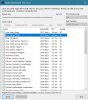
Here is my log file.
Some details:
-I'm using CAT7 ethernet cable,
-I tried to update and downgrade ethernet card drivers,
-I reformatted w10,
-I disabled windows defender,
-I opened the port for Twitch streaming (1935),
-I tried different routers,
-I tried to run the bandwidth test in safe mode,
-I disabled all startup services,
-My upload speed is fine aside from streaming on Twitch.
I'm pretty new at streaming and I'm aware that above 3500 is not recommended for new streamers but I would like to understand what is going on with my internet or my pc.
Here is my log file.