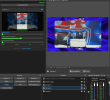
Description:Tired of manually entering pixel values for cropping? VisualCrop.html is a lightweight, single-file tool designed to be used as a Custom Browser Dock. It allows you to visually adjust your source crops by dragging a selection box over a live preview.
Main Features:
GitHub Repository: https://github.com/BlackLuchooo/OBS-VisualCrop Developed by Blackluchooo
Main Features:
- Visual Drag-and-Crop: Move your crop area by simply dragging a rectangle over the source preview.
- Smart Zoom: A unique slider that expands or shrinks the crop while automatically adjusting the OBS scale to keep your source's visual size on the canvas consistent.
- Aspect Ratio Lock: If you manually crop a source (Alt+Drag) to a specific shape, VisualCrop detects it and locks that aspect ratio for all zoom operations.
- Live Preview: See exactly what you are doing with periodic screenshots of the active source inside the dock.
- Zero Installation: Just a single .html file that connects via WebSocket v5.
- Download: Get the VisualCrop.html file right here.
- Enable WebSocket: Ensure Tools -> WebSocket Server Settings -> Enable WebSocket Server is checked in OBS.
- Create Dock:
- Go to Docks -> Custom Browser Docks.
- Name it "Visual Crop" and select the path to the downloaded file.
- Connect using your WebSocket password (the tool remembers it for next time!).
- Click on any source in your OBS Sources list.
- (Optional) Prepare your framing by manually cropping in OBS; the tool will lock that ratio.
- Use the Green Rectangle to move the crop or the Smart Zoom slider to scale deep into the source.
- Fine-tune with the H/V Sliders for pixel-perfect alignment.
- OBS Studio 28.0+
- WebSocket v5 (Included in OBS by default)
GitHub Repository: https://github.com/BlackLuchooo/OBS-VisualCrop Developed by Blackluchooo