
Write with iPad on a "transparent background"

simon84

New Member
Hi all,

I want to use OBS on my MacBook M1 Pro. What I need is a transparent layer, where the notes from my iPad are visible (like in freeform or Goodnote).

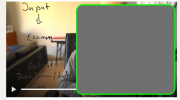
How can I realize that? You can see an example in the attached file. This was made with Ecamm and I guess, that OBS should also be able to do so?

Thanks
Simon
 

Attachments

  • Bildschirmfoto 2025-11-19 um 11.04.09.png
    Bildschirmfoto 2025-11-19 um 11.04.09.png
    126.1 KB · Views: 14

simon84

New Member
I used ProCreate with a green background, and then Chroma Keyed it:

View attachment 116747
Thank you! I think, it is not about the app on the iPad, it is more about the layers in OBS.
I also could use Freeform with a green screen and chromakey - but my problem is: How to bring this transparent layer on the screen, where I am writing on? What exactly do I have to do? I don't get it till know.
 

GataQuadrada

New Member
Step-by-step:

1. On your iPad, create a background with green coloring;


2. On OBS, add a new [Video Capture Device] Source;


3. On OBS, select your iPad (and adjust dimensions / crop);
Screenshot 2025-11-20 12-18-30.png


4. On OBS, right-click the [Video Capture Device] Source you just added and select [Filters];
1763652012433.png


5. On OBS, under [Effect Filters], add a new [Chroma Key] filter. No need to change anything. Just confirm all and close the [Filters] window;
Screenshot 2025-11-20 12-21-04.png


6. On your iPad, go bonkers;
Screenshot 2025-11-20 12-25-43.jpeg
 
Top