Moisés Zanca
New Member
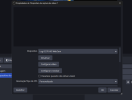
OBS Studio não está abrindo a webcam.
Abre no Zoom
Mãs não abre no OBS
Ja desinstalei e reinstalei
não aparece imagem
13:49:03.885: CPU Name: 12th Gen Intel(R) Core(TM) i5-12450H
13:49:03.885: CPU Speed: 2496MHz
13:49:03.885: Physical Cores: 8, Logical Cores: 12
13:49:03.885: Physical Memory: 7896MB Total, 744MB Free
13:49:03.885: Windows Version: 10.0 Build 26200 (release: 25H2; revision: 7840; 64-bit)
13:49:03.885: Running as administrator: true
13:49:03.885: Windows 10/11 Gaming Features:
13:49:03.885: Game DVR: On
13:49:03.885: Game Mode: On
13:49:03.917: Sec. Software Status:
13:49:03.941: Microsoft Defender Antivírus: disabled (AV)
13:49:03.941: Kaspersky: enabled (AV)
13:49:03.942: Kaspersky: enabled (FW)
13:49:03.942: Firewall do Windows: disabled (FW)
13:49:03.946: Current Date/Time: 2026-02-23, 13:49:03
13:49:03.946: Browser Hardware Acceleration: true
13:49:03.946: Hide OBS windows from screen capture: false
13:49:03.946: Qt Version: 6.8.3 (runtime), 6.8.3 (compiled)
13:49:03.946: Portable mode: false
13:49:05.991: OBS 32.0.4 (64-bit, windows)
13:49:05.991: ---------------------------------
13:49:06.485: ---------------------------------
13:49:06.485: audio settings reset:
13:49:06.485: samples per sec: 48000
13:49:06.485: speakers: 2
13:49:06.485: max buffering: 960 milliseconds
13:49:06.485: buffering type: dynamically increasing
13:49:06.715: ---------------------------------
13:49:06.715: Initializing D3D11...
13:49:06.715: Available Video Adapters:
13:49:06.716: Adapter 0: Intel(R) UHD Graphics
13:49:06.716: Dedicated VRAM: 134217728 (0.1 GiB)
13:49:06.716: Shared VRAM: 4139806720 (3.9 GiB)
13:49:06.716: PCI ID: 8086:46a3
13:49:06.716: HAGS Status: Disabled (Default: No, Driver status: Experimental)
13:49:06.717: Driver Version: 31.0.101.4032
13:49:06.719: output 0:
13:49:06.719: name=
13:49:06.719: pos={0, 0}
13:49:06.719: size={1920, 1080}
13:49:06.719: attached=true
13:49:06.719: refresh=60
13:49:06.719: bits_per_color=6
13:49:06.719: space=RGB_FULL_G22_NONE_P709
13:49:06.719: primaries=[r=(0.582031, 0.359375), g=(0.353516, 0.567383), b=(0.162109, 0.128906), wp=(0.312500, 0.328125)]
13:49:06.719: relative_gamut_area=[709=0.624778, P3=0.460568, 2020=0.330427]
13:49:06.719: sdr_white_nits=80
13:49:06.719: nit_range=[min=0.500000, max=270.000000, max_full_frame=270.000000]
13:49:06.719: dpi=120 (125%)
13:49:06.719: id=\\?\DISPLAY#BOE07CB#4&3924fdea&0&UID8388688#{e6f07b5f-ee97-4a90-b076-33f57bf4eaa7}
13:49:06.719: alt_id=\\.\DISPLAY1
13:49:06.720: Adapter 1: Intel(R) UHD Graphics
13:49:06.720: Dedicated VRAM: 134217728 (0.1 GiB)
13:49:06.720: Shared VRAM: 4139806720 (3.9 GiB)
13:49:06.720: PCI ID: 8086:46a3
13:49:06.720: HAGS Status: Disabled (Default: No, Driver status: Experimental)
13:49:06.720: Driver Version: 31.0.101.4032
13:49:06.723: Loading up D3D11 on adapter Intel(R) UHD Graphics (0)
13:49:07.186: D3D11 loaded successfully, feature level used: b000
13:49:07.186: DXGI increase maximum frame latency success
13:49:08.740: ---------------------------------
13:49:08.740: video settings reset:
13:49:08.740: base resolution: 1920x1080
13:49:08.740: output resolution: 1920x1080
13:49:08.740: downscale filter: Bicubic
13:49:08.740: fps: 60/1
13:49:08.740: format: NV12
13:49:08.740: YUV mode: Rec. 709/Partial
13:49:08.741: NV12 texture support enabled
13:49:08.741: P010 texture support not available
13:49:08.747: Audio monitoring device:
13:49:08.747: name: Padrão
13:49:08.747: id: default
13:49:08.950: ---------------------------------
13:49:09.193: No AJA devices found, skipping loading AJA UI plugin
13:49:09.193: Failed to initialize module 'aja-output-ui.dll'
13:49:09.395: No AJA devices found, skipping loading AJA plugin
13:49:09.395: Failed to initialize module 'aja.dll'
13:49:09.614: Skipping module '../../obs-plugins/64bit/chrome_elf.dll', not an OBS plugin
13:49:09.768: [CoreAudio encoder]: CoreAudio AAC encoder not installed on the system or couldn't be loaded
13:49:09.890: Failed to load 'en-US' text for module: 'decklink-captions.dll'
13:49:10.008: Failed to load 'en-US' text for module: 'decklink-output-ui.dll'
13:49:10.157: A DeckLink iterator could not be created. The DeckLink drivers may not be installed
13:49:10.157: Failed to initialize module 'decklink.dll'
13:49:12.585: Skipping module '../../obs-plugins/64bit/libcef.dll', not an OBS plugin
13:49:12.719: Skipping module '../../obs-plugins/64bit/libEGL.dll', not an OBS plugin
13:49:12.936: Skipping module '../../obs-plugins/64bit/libGLESv2.dll', not an OBS plugin
13:49:13.042: [NVIDIA Audio Effects:] NVIDIA denoiser disabled, redistributable not found or could not be loaded.
13:49:13.043: Failed to get NVVideoEffects.dll version info size
13:49:13.044: [NVIDIA VIDEO FX]: FX disabled, redistributable not found or could not be loaded.
13:49:13.286: [obs-browser]: Version 2.26.3
13:49:13.286: [obs-browser]: CEF Version 127.0.6533.120 (runtime), 127.145.7+g2b7d20b+chromium-127.0.6533.120 (compiled)
13:49:13.286: [obs-browser]: Blacklisted device detected, disabling browser source hardware acceleration.
13:49:14.003: LoadLibrary failed for 'nvEncodeAPI64.dll': The specified module could not be found.
13:49:14.003: (126)
13:49:14.003: NVENC not supported
13:49:14.003: Failed to initialize module 'obs-nvenc.dll'
13:49:16.437: [obs-websocket] [obs_module_load] you can haz websockets (Version: 5.6.3 | RPC Version: 1)
13:49:16.437: [obs-websocket] [obs_module_load] Qt version (compile-time): 6.8.3 | Qt version (run-time): 6.8.3
13:49:16.437: [obs-websocket] [obs_module_load] Linked ASIO Version: 103200
13:49:16.467: [obs-websocket] [obs_module_load] Module loaded.
13:49:18.136: [vlc-video]: VLC 3.0.23 Vetinari found, VLC video source enabled
13:49:19.028: ---------------------------------
13:49:19.028: Loaded Modules:
13:49:19.028: win-wasapi.dll
13:49:19.028: win-dshow.dll
13:49:19.028: win-capture.dll
13:49:19.028: vlc-video.dll
13:49:19.028: text-freetype2.dll
13:49:19.029: rtmp-services.dll
13:49:19.029: obs-x264.dll
13:49:19.029: obs-websocket.dll
13:49:19.029: obs-webrtc.dll
13:49:19.029: obs-vst.dll
13:49:19.029: obs-transitions.dll
13:49:19.029: obs-text.dll
13:49:19.029: obs-qsv11.dll
13:49:19.029: obs-outputs.dll
13:49:19.029: obs-filters.dll
13:49:19.029: obs-ffmpeg.dll
13:49:19.029: obs-browser.dll
13:49:19.029: nv-filters.dll
13:49:19.029: image-source.dll
13:49:19.029: frontend-tools.dll
13:49:19.029: decklink-output-ui.dll
13:49:19.029: decklink-captions.dll
13:49:19.029: coreaudio-encoder.dll
13:49:19.029: ---------------------------------
13:49:19.031: ---------------------------------
13:49:19.031: Available Encoders:
13:49:19.031: Video Encoders:
13:49:19.031: - ffmpeg_svt_av1 (SVT-AV1)
13:49:19.031: - ffmpeg_aom_av1 (AOM AV1)
13:49:19.031: - obs_qsv11_v2 (QuickSync H.264)
13:49:19.031: - obs_qsv11_hevc (QuickSync HEVC)
13:49:19.031: - obs_x264 (x264)
13:49:19.031: Audio Encoders:
13:49:19.031: - ffmpeg_aac (FFmpeg AAC)
13:49:19.031: - ffmpeg_opus (FFmpeg Opus)
13:49:19.031: - ffmpeg_pcm_s16le (FFmpeg PCM (16-bit))
13:49:19.031: - ffmpeg_pcm_s24le (FFmpeg PCM (24-bit))
13:49:19.031: - ffmpeg_pcm_f32le (FFmpeg PCM (32-bit float))
13:49:19.031: - ffmpeg_alac (FFmpeg ALAC (24-bit))
13:49:19.031: - ffmpeg_flac (FFmpeg FLAC (16-bit))
13:49:19.031: ==== Startup complete ===============================================
13:49:19.366: All scene data cleared
13:49:19.366: ------------------------------------------------
13:49:19.540: Device for 'Audio Output Capture' source Áudio do desktop is also used for audio monitoring.
13:49:19.540: Deduplication logic is being applied to all monitored sources.
13:49:19.541: [win-wasapi: 'Áudio do desktop'] update settings:
13:49:19.541: device id: default
13:49:19.541: use device timing: 1
13:49:19.542: [Loaded global audio device]: 'Áudio do desktop'
13:49:19.543: [win-wasapi: 'Mic/Aux'] update settings:
13:49:19.543: device id: default
13:49:19.543: use device timing: 0
13:49:19.543: [Loaded global audio device]: 'Mic/Aux'
13:49:19.561: Device for 'Audio Output Capture' source Áudio do desktop is also used for audio monitoring.
13:49:19.561: Deduplication logic is being applied to all monitored sources.
13:49:19.805: WASAPI: Device 'Alto-falantes (Realtek(R) Audio)' [48000 Hz] initialized (source: Áudio do desktop)
13:49:19.835: adding 21 milliseconds of audio buffering, total audio buffering is now 21 milliseconds (source: Áudio do desktop)
13:49:19.835:
13:49:19.838: Switched to scene 'WEBCAM'
13:49:19.838: ------------------------------------------------
13:49:19.838: Loaded scenes:
13:49:19.838: - scene 'Cena':
13:49:19.838: - source: 'Dispositivo de captura de vídeo' (dshow_input)
13:49:19.838: - scene 'WEBCAM':
13:49:19.838: - source: 'Dispositivo de captura de vídeo 2' (dshow_input)
13:49:19.838: - source: 'Imagem' (image_source)
13:49:19.838: ------------------------------------------------
13:49:20.080: WASAPI: Device 'Microfone (3- USB PnP Sound Device)' [48000 Hz] initialized (source: Mic/Aux)
13:49:20.863: ---------------------------------
13:49:20.863: [DShow Device: 'Dispositivo de captura de vídeo'] settings updated:
13:49:20.863: video device: ACER HD User Facing
13:49:20.863: video path: \\?\usb#vid_04f2&pid_b79c&mi_00#6&12616c3e&0&0000#{65e8773d-8f56-11d0-a3b9-00a0c9223196}\global
13:49:20.863: resolution: 1280x720
13:49:20.863: flip: 0
13:49:20.863: fps: 30.00 (intervalo: 333333)
13:49:20.863: format: NV12
13:49:20.863: Buffering: desativado
13:49:20.863: decodificação de hardware: desativada
13:49:20.864: DShow: AVerMedia tonemapper ativar=1
13:49:21.192: ---------------------------------
13:49:21.192: [Dispositivo DShow: 'Dispositivo de captura de vídeo 2'] configurações atualizadas:
13:49:21.192: dispositivo de vídeo: Logi C270 HD WebCam
13:49:21.192: Caminho do vídeo: \\?\usb#vid_046d&pid_0825&mi_00#6&30e8bb7f&0&0000#{65e8773d-8f56-11d0-a3b9-00a0c9223196}\global
13:49:21.192: resolução: 1280x720
13:49:21.192: flip: 0
13:49:21.192: fps: 30.00 (intervalo: 333333)
13:49:21.192: formato: YUY2
13:49:21.192: buffering: desativado
13:49:21.192: decodificação de hardware: desativada
13:49:21.192: DShow: AVerMedia tonemapper ativar=1
Abre no Zoom
Mãs não abre no OBS
Ja desinstalei e reinstalei
não aparece imagem
13:49:03.885: CPU Name: 12th Gen Intel(R) Core(TM) i5-12450H
13:49:03.885: CPU Speed: 2496MHz
13:49:03.885: Physical Cores: 8, Logical Cores: 12
13:49:03.885: Physical Memory: 7896MB Total, 744MB Free
13:49:03.885: Windows Version: 10.0 Build 26200 (release: 25H2; revision: 7840; 64-bit)
13:49:03.885: Running as administrator: true
13:49:03.885: Windows 10/11 Gaming Features:
13:49:03.885: Game DVR: On
13:49:03.885: Game Mode: On
13:49:03.917: Sec. Software Status:
13:49:03.941: Microsoft Defender Antivírus: disabled (AV)
13:49:03.941: Kaspersky: enabled (AV)
13:49:03.942: Kaspersky: enabled (FW)
13:49:03.942: Firewall do Windows: disabled (FW)
13:49:03.946: Current Date/Time: 2026-02-23, 13:49:03
13:49:03.946: Browser Hardware Acceleration: true
13:49:03.946: Hide OBS windows from screen capture: false
13:49:03.946: Qt Version: 6.8.3 (runtime), 6.8.3 (compiled)
13:49:03.946: Portable mode: false
13:49:05.991: OBS 32.0.4 (64-bit, windows)
13:49:05.991: ---------------------------------
13:49:06.485: ---------------------------------
13:49:06.485: audio settings reset:
13:49:06.485: samples per sec: 48000
13:49:06.485: speakers: 2
13:49:06.485: max buffering: 960 milliseconds
13:49:06.485: buffering type: dynamically increasing
13:49:06.715: ---------------------------------
13:49:06.715: Initializing D3D11...
13:49:06.715: Available Video Adapters:
13:49:06.716: Adapter 0: Intel(R) UHD Graphics
13:49:06.716: Dedicated VRAM: 134217728 (0.1 GiB)
13:49:06.716: Shared VRAM: 4139806720 (3.9 GiB)
13:49:06.716: PCI ID: 8086:46a3
13:49:06.716: HAGS Status: Disabled (Default: No, Driver status: Experimental)
13:49:06.717: Driver Version: 31.0.101.4032
13:49:06.719: output 0:
13:49:06.719: name=
13:49:06.719: pos={0, 0}
13:49:06.719: size={1920, 1080}
13:49:06.719: attached=true
13:49:06.719: refresh=60
13:49:06.719: bits_per_color=6
13:49:06.719: space=RGB_FULL_G22_NONE_P709
13:49:06.719: primaries=[r=(0.582031, 0.359375), g=(0.353516, 0.567383), b=(0.162109, 0.128906), wp=(0.312500, 0.328125)]
13:49:06.719: relative_gamut_area=[709=0.624778, P3=0.460568, 2020=0.330427]
13:49:06.719: sdr_white_nits=80
13:49:06.719: nit_range=[min=0.500000, max=270.000000, max_full_frame=270.000000]
13:49:06.719: dpi=120 (125%)
13:49:06.719: id=\\?\DISPLAY#BOE07CB#4&3924fdea&0&UID8388688#{e6f07b5f-ee97-4a90-b076-33f57bf4eaa7}
13:49:06.719: alt_id=\\.\DISPLAY1
13:49:06.720: Adapter 1: Intel(R) UHD Graphics
13:49:06.720: Dedicated VRAM: 134217728 (0.1 GiB)
13:49:06.720: Shared VRAM: 4139806720 (3.9 GiB)
13:49:06.720: PCI ID: 8086:46a3
13:49:06.720: HAGS Status: Disabled (Default: No, Driver status: Experimental)
13:49:06.720: Driver Version: 31.0.101.4032
13:49:06.723: Loading up D3D11 on adapter Intel(R) UHD Graphics (0)
13:49:07.186: D3D11 loaded successfully, feature level used: b000
13:49:07.186: DXGI increase maximum frame latency success
13:49:08.740: ---------------------------------
13:49:08.740: video settings reset:
13:49:08.740: base resolution: 1920x1080
13:49:08.740: output resolution: 1920x1080
13:49:08.740: downscale filter: Bicubic
13:49:08.740: fps: 60/1
13:49:08.740: format: NV12
13:49:08.740: YUV mode: Rec. 709/Partial
13:49:08.741: NV12 texture support enabled
13:49:08.741: P010 texture support not available
13:49:08.747: Audio monitoring device:
13:49:08.747: name: Padrão
13:49:08.747: id: default
13:49:08.950: ---------------------------------
13:49:09.193: No AJA devices found, skipping loading AJA UI plugin
13:49:09.193: Failed to initialize module 'aja-output-ui.dll'
13:49:09.395: No AJA devices found, skipping loading AJA plugin
13:49:09.395: Failed to initialize module 'aja.dll'
13:49:09.614: Skipping module '../../obs-plugins/64bit/chrome_elf.dll', not an OBS plugin
13:49:09.768: [CoreAudio encoder]: CoreAudio AAC encoder not installed on the system or couldn't be loaded
13:49:09.890: Failed to load 'en-US' text for module: 'decklink-captions.dll'
13:49:10.008: Failed to load 'en-US' text for module: 'decklink-output-ui.dll'
13:49:10.157: A DeckLink iterator could not be created. The DeckLink drivers may not be installed
13:49:10.157: Failed to initialize module 'decklink.dll'
13:49:12.585: Skipping module '../../obs-plugins/64bit/libcef.dll', not an OBS plugin
13:49:12.719: Skipping module '../../obs-plugins/64bit/libEGL.dll', not an OBS plugin
13:49:12.936: Skipping module '../../obs-plugins/64bit/libGLESv2.dll', not an OBS plugin
13:49:13.042: [NVIDIA Audio Effects:] NVIDIA denoiser disabled, redistributable not found or could not be loaded.
13:49:13.043: Failed to get NVVideoEffects.dll version info size
13:49:13.044: [NVIDIA VIDEO FX]: FX disabled, redistributable not found or could not be loaded.
13:49:13.286: [obs-browser]: Version 2.26.3
13:49:13.286: [obs-browser]: CEF Version 127.0.6533.120 (runtime), 127.145.7+g2b7d20b+chromium-127.0.6533.120 (compiled)
13:49:13.286: [obs-browser]: Blacklisted device detected, disabling browser source hardware acceleration.
13:49:14.003: LoadLibrary failed for 'nvEncodeAPI64.dll': The specified module could not be found.
13:49:14.003: (126)
13:49:14.003: NVENC not supported
13:49:14.003: Failed to initialize module 'obs-nvenc.dll'
13:49:16.437: [obs-websocket] [obs_module_load] you can haz websockets (Version: 5.6.3 | RPC Version: 1)
13:49:16.437: [obs-websocket] [obs_module_load] Qt version (compile-time): 6.8.3 | Qt version (run-time): 6.8.3
13:49:16.437: [obs-websocket] [obs_module_load] Linked ASIO Version: 103200
13:49:16.467: [obs-websocket] [obs_module_load] Module loaded.
13:49:18.136: [vlc-video]: VLC 3.0.23 Vetinari found, VLC video source enabled
13:49:19.028: ---------------------------------
13:49:19.028: Loaded Modules:
13:49:19.028: win-wasapi.dll
13:49:19.028: win-dshow.dll
13:49:19.028: win-capture.dll
13:49:19.028: vlc-video.dll
13:49:19.028: text-freetype2.dll
13:49:19.029: rtmp-services.dll
13:49:19.029: obs-x264.dll
13:49:19.029: obs-websocket.dll
13:49:19.029: obs-webrtc.dll
13:49:19.029: obs-vst.dll
13:49:19.029: obs-transitions.dll
13:49:19.029: obs-text.dll
13:49:19.029: obs-qsv11.dll
13:49:19.029: obs-outputs.dll
13:49:19.029: obs-filters.dll
13:49:19.029: obs-ffmpeg.dll
13:49:19.029: obs-browser.dll
13:49:19.029: nv-filters.dll
13:49:19.029: image-source.dll
13:49:19.029: frontend-tools.dll
13:49:19.029: decklink-output-ui.dll
13:49:19.029: decklink-captions.dll
13:49:19.029: coreaudio-encoder.dll
13:49:19.029: ---------------------------------
13:49:19.031: ---------------------------------
13:49:19.031: Available Encoders:
13:49:19.031: Video Encoders:
13:49:19.031: - ffmpeg_svt_av1 (SVT-AV1)
13:49:19.031: - ffmpeg_aom_av1 (AOM AV1)
13:49:19.031: - obs_qsv11_v2 (QuickSync H.264)
13:49:19.031: - obs_qsv11_hevc (QuickSync HEVC)
13:49:19.031: - obs_x264 (x264)
13:49:19.031: Audio Encoders:
13:49:19.031: - ffmpeg_aac (FFmpeg AAC)
13:49:19.031: - ffmpeg_opus (FFmpeg Opus)
13:49:19.031: - ffmpeg_pcm_s16le (FFmpeg PCM (16-bit))
13:49:19.031: - ffmpeg_pcm_s24le (FFmpeg PCM (24-bit))
13:49:19.031: - ffmpeg_pcm_f32le (FFmpeg PCM (32-bit float))
13:49:19.031: - ffmpeg_alac (FFmpeg ALAC (24-bit))
13:49:19.031: - ffmpeg_flac (FFmpeg FLAC (16-bit))
13:49:19.031: ==== Startup complete ===============================================
13:49:19.366: All scene data cleared
13:49:19.366: ------------------------------------------------
13:49:19.540: Device for 'Audio Output Capture' source Áudio do desktop is also used for audio monitoring.
13:49:19.540: Deduplication logic is being applied to all monitored sources.
13:49:19.541: [win-wasapi: 'Áudio do desktop'] update settings:
13:49:19.541: device id: default
13:49:19.541: use device timing: 1
13:49:19.542: [Loaded global audio device]: 'Áudio do desktop'
13:49:19.543: [win-wasapi: 'Mic/Aux'] update settings:
13:49:19.543: device id: default
13:49:19.543: use device timing: 0
13:49:19.543: [Loaded global audio device]: 'Mic/Aux'
13:49:19.561: Device for 'Audio Output Capture' source Áudio do desktop is also used for audio monitoring.
13:49:19.561: Deduplication logic is being applied to all monitored sources.
13:49:19.805: WASAPI: Device 'Alto-falantes (Realtek(R) Audio)' [48000 Hz] initialized (source: Áudio do desktop)
13:49:19.835: adding 21 milliseconds of audio buffering, total audio buffering is now 21 milliseconds (source: Áudio do desktop)
13:49:19.835:
13:49:19.838: Switched to scene 'WEBCAM'
13:49:19.838: ------------------------------------------------
13:49:19.838: Loaded scenes:
13:49:19.838: - scene 'Cena':
13:49:19.838: - source: 'Dispositivo de captura de vídeo' (dshow_input)
13:49:19.838: - scene 'WEBCAM':
13:49:19.838: - source: 'Dispositivo de captura de vídeo 2' (dshow_input)
13:49:19.838: - source: 'Imagem' (image_source)
13:49:19.838: ------------------------------------------------
13:49:20.080: WASAPI: Device 'Microfone (3- USB PnP Sound Device)' [48000 Hz] initialized (source: Mic/Aux)
13:49:20.863: ---------------------------------
13:49:20.863: [DShow Device: 'Dispositivo de captura de vídeo'] settings updated:
13:49:20.863: video device: ACER HD User Facing
13:49:20.863: video path: \\?\usb#vid_04f2&pid_b79c&mi_00#6&12616c3e&0&0000#{65e8773d-8f56-11d0-a3b9-00a0c9223196}\global
13:49:20.863: resolution: 1280x720
13:49:20.863: flip: 0
13:49:20.863: fps: 30.00 (intervalo: 333333)
13:49:20.863: format: NV12
13:49:20.863: Buffering: desativado
13:49:20.863: decodificação de hardware: desativada
13:49:20.864: DShow: AVerMedia tonemapper ativar=1
13:49:21.192: ---------------------------------
13:49:21.192: [Dispositivo DShow: 'Dispositivo de captura de vídeo 2'] configurações atualizadas:
13:49:21.192: dispositivo de vídeo: Logi C270 HD WebCam
13:49:21.192: Caminho do vídeo: \\?\usb#vid_046d&pid_0825&mi_00#6&30e8bb7f&0&0000#{65e8773d-8f56-11d0-a3b9-00a0c9223196}\global
13:49:21.192: resolução: 1280x720
13:49:21.192: flip: 0
13:49:21.192: fps: 30.00 (intervalo: 333333)
13:49:21.192: formato: YUY2
13:49:21.192: buffering: desativado
13:49:21.192: decodificação de hardware: desativada
13:49:21.192: DShow: AVerMedia tonemapper ativar=1