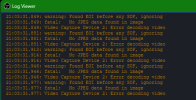
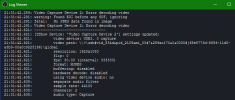
warning: Found EOI before any SOF, ignoring

VoFoRoe

New Member
After installing OBS 32.0.1 on Windows 11 my digital camera which is connected via HDMI Converter to USB starts producing tons of error messages:
warning: Found EOI before any SOF, ignoring
fatal: No JPEG data found in image
Kamera 1: Error decoding video


It used to work without a problem for the last several month, no changes in configuration or hardware, just an OBS update

The camera still works but my computer is getting overloaded and other stuff doesn't work properly any more. My log file is 26 MB for an 1 hour stream.
Any suggestions or ideas?

TIA, Thomas

I have the following setup
  • ACER Laptop
  • Windows 11 (all the latest updates)
  • OBS Studio 32.0.1
  • 1 PTZ camera via USB
  • 1 digital camera via HDMI - USB (the one causing problems)
  • 1 PTZ camera on a separate laptop via NDI (which stopped working most likely due to the issues above)
  • 1 Focusrite via USB
 

Attachments

  • Log.extract.txt
    26.8 KB · Views: 26

Sparkwing

New Member
I have one of those capture cards. They're known to spam the log with those error messages but as far as I'm aware, you can safely ignore them.

Just a heads up though, those capture cards are known to only support 720p 60 FPS or 1080p 30 FPS at max. You might have issues with trying to get a 1080p 60 FPS video stream from it.

It's not surprising you're experiencing performance issues though, considering your CPU is weak. Because of it, you absolutely should not be using x264 to encode video because it will be very heavy on the CPU. You need to use the hardware encoder built into your integrated graphics. They will be listed as "AMD HW."

In addition, your weak CPU has weak integrated graphics. I would drop the base canvas resolution to 720p so it isn't struggling to render a 1080p canvas. Have the output resolution match as well so it isn't doing extra work by rescaling the output.
 

VoFoRoe

New Member
Thank you @Sparkwing for you response.

However:
  • I only use 1080p and 30 fps for all my devices and the stream
  • my "weak CPU" usually shows a load of around 30% during streaming, so it sounds quite ok to me ;)
As mentioned I have not changed the settings for my devices and stream in a long time, only after upgrading OBS this problem appeared.

I just set the video encoding to "AMD HW H.265 (HVEC)", it was set to x264, I will see if that makes any difference.

Are there any new settings I need to look at?
Could the update have changed my previous settings (I couldn't find any changes in the relevant areas)?
 
Last edited:

Sparkwing

New Member
It's possible. I know AMD has changed the defaults to their encoders so it may have changed how the encoder performs. I have a laptop with a similar CPU (Ryzen 5 3450u) and I noticed I had to add this option to the AMF/FFmpeg options: EnableVBAQ=false

But since you weren't using the AMD HW encoders before, this doesn't explain the performance issues you've had.
 

bcoyle

Member
My opinion only: if your current obs rev works and you have no problems and you don't need or want a new feature, don't update. Every new rev involves a risk that it will cause problems. OBS is a awesome program, five stars, but it is a moving target and there is the chance that a patch or new feature will have bugs. So if you are dependent on obs always working, ie sunday services, 24/7 etc. why take the risk?
 

Udda_Odd

New Member
I have had a VERY similar experience, but with a laptop with built in separate GPU (gtx 1660ti) since my upgrading of the OBS software and Windows 11. Error messages regarding the cheap chinese capture card and overload for the GPU at least once or twice (and I do not play games, just stream video). Should not have upgraded... with a little luck I have been able to get everything in working order now though.
 

VoFoRoe

New Member
It's possible. I know AMD has changed the defaults to their encoders so it may have changed how the encoder performs. I have a laptop with a similar CPU (Ryzen 5 3450u) and I noticed I had to add this option to the AMF/FFmpeg options: EnableVBAQ=false

But since you weren't using the AMD HW encoders before, this doesn't explain the performance issues you've had.
where would I find these settings?
 
Top