Question / Help VLC Source is Not Working

aadi1295

New Member
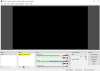
I am facing issues to show VLC source in OBS. I am on windows 10 64bit (latest updates installed) and OBS 21.0.1 64bit and VLC 2.2.8 64bit. I have searched a lot before posting but can't find anything which can help. I read on this forum that VLC 3.0 has issues with OBS so I downgraded to 2.2.8 but still the problem persists.

Please help me. Thanks
 
Not working how?
it's not showing up the video playing in VLC in OBS when I select VLC video source. Please check the attached image. Thanks
 

Attachments

  • obs vlc video source.PNG
    obs vlc video source.PNG
    30.3 KB · Views: 255
And you've assigned a video or folder of videos for the source?
You've also pressed ctrl+f with the source selected in the list?
 
And you've assigned a video or folder of videos for the source?
You've also pressed ctrl+f with the source selected in the list?
thank you it's working now, I am new to OBS so I didn't know about this. I thought it will automatically show the video playing in VLC. How can I stream IPTV through OBS, can you help me in that too? Thanks
 
Ideally, you'd need the RTSP address from a camera and you'd add it as a playlist entry in VLC source.
 
Back
Top