Question / Help UDP Stream to a static IP

Shkodra

New Member
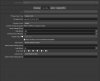
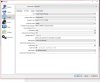
Hello, first post here since im trying to use OBJ to stream over ip with udp. I have added udp://192.168.4.102:9999 to output as URL to stream to another pc. But im interested to stream to static ip with the same parameters.

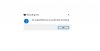
After this start recording show an error. See screenshot. Can some one help and tell me what im doing wrong? :)

Thanks
 

Attachments

  • 13223.jpg
    13223.jpg
    115.6 KB · Views: 2,113
  • 123123132.jpg
    123123132.jpg
    11.4 KB · Views: 2,092
"Failed to parse muxer settings: Invalid argument"

It seems you've written invalid parameters into the muxer settings.
 
22:08:52.014: 5500

It seems there is a random 5000 parameter somewhere. Do you have that in some setting?
 
22:08:52.014: 5500

It seems there is a random 5000 parameter somewhere. Do you have that in some setting?
i have attached the screenshot. i don't see any 5000 parameter. other pc receiving stream error after i click start recording
 
This parameter is on the first screenshot. Upload actual log-file, please. And don't try to use incompatible codecs.
 
This parameter is on the first screenshot. Upload actual log-file, please. And don't try to use incompatible codecs.

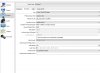
and settings attached on screenshot

udp ip is static
 

Attachments

  • 13231231132.jpg
    13231231132.jpg
    238.3 KB · Views: 1,096
Last edited:
The IP is visible in the log but rtsp protocol used - remove the link (edit log-file manually and attach clear file to your post).

By the way, it looks like output work OK for you.
 
As a test, try using UDP://127.0.0.1:5500

If it doesn't work, try: container mpegts, show all codecs, video encoder libx264, audio encoder aac. Then press record that actually streams mpegts or whatever is set in the record tab. This settings seem to work for me.

If this works with 127.0.0.1, then on the same computer, use a VLC program, media, open, udp://@:5500
** EDIT **: or you can use OBS-studio media source, uncheck "Local file", input: udp://0.0.0.0:5500

Afterwords, you can change ip address (127.0.0.1) to a network computer.
 
Last edited:
As a test, try using UDP://127.0.0.1:5500

If it doesn't work, try: container mpegts, show all codecs, video encoder libx264, audio encoder aac. Then press record that actually streams mpegts or whatever is set in the record tab. This settings seem to work for me.

If this works with 127.0.0.1, then on the same computer, use a VLC program, media, open, udp://@:5500
** EDIT **: or you can use OBS-studio media source, uncheck "Local file", input: udp://0.0.0.0:5500

Afterwords, you can change ip address (127.0.0.1) to a network computer.

Thank you
Stream is ok on vlc, and this caused problems since i was testing with vmix and vmix is giving stream error. But ip is receiving packages. Any idea how to send from obs to vmix?
 
Stream is ok on vlc, and this caused problems since i was testing with vmix and vmix is giving stream error. But ip is receiving packages. Any idea how to send from obs to vmix?
Good to know it works with free softwares (OBS, VLC).
But vmix... limited or not free... I don't have it nor have any information. You could try using their support.
 
Back
Top