
Bug Report Start Recording Button Not Working (Win10)

Sammich

New Member
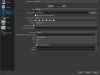
Hey everyone, This problem began yesterday when CS:GO would only open in OBS to a black screen (game capture was black). This eventually fixed itself... but then another problem arose. I had CS running perfectly at 80 fps on inferno (1080p 60fps OBS settings) and i went to press the record button, and nothing happened. I pressed and pressed, waited and waited, and nothing happened. for reference here are some specs

CPU- Amd FX 8320 8core
GPU- asus rog strix gtx 1060 OC (triple cooler)
MOBO- msi 970 gaming motherboard
OS- win10 64 bit
 

Attachments

  • Capture.PNG
    Capture.PNG
    58.1 KB · Views: 31
Looks to be an issue earlier than just that driver though. I had drivers from months ago still didn't work, I just updated, still doesn't work.

23:26:42.255: ---------------------------------
23:26:42.255: [NVENC encoder: 'streaming_h264'] settings:
23:26:42.255: rate_control: CBR
23:26:42.255: bitrate: 2500
23:26:42.255: cqp: 0
23:26:42.255: keyint: 120
23:26:42.255: preset: default
23:26:42.255: profile: main
23:26:42.255: level: auto
23:26:42.255: width: 1024
23:26:42.255: height: 576
23:26:42.255: 2-pass: true
23:26:42.255: b-frames: 2
23:26:42.255: GPU: 0
23:26:42.255:
23:26:42.436: [NVENC encoder: 'streaming_h264'] Failed to open NVENC codec: Generic error in an external library


That shows up in the log when I hit record.

However, I just tried it in the 64bit version since I saw it mentioned 2gb memory in the log file. 64bit version seems to work. Then retried 32bit, still nothing. For me seems to be limited to the 32bit version.
 

Attachments

Back
Top