Question / Help Setting PAL capture 1st time.Screen too small,no audio?

HPCamper

New Member
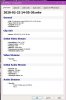
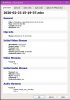
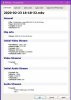
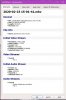
I'm trying to capture PAL video 8mm/Hi8 from a PAL camcorder using Elgato capture device using s-video, and analog out from camcorder. I've tried 4 different captures and each one seems to get worse. The first one showed the whole video 1280x720 and had audio but when viewed on SMPlayer took up only half of the screen and was off to one side. The second one was 1920x780 and the video was stuttering and no audio. The last one just shows about 1/5 of the video and no audio. My purpose is to archive many old tapes as close to the original as possible. Many of live music events. Some I may to edit, crop etc. I'm way off in my settings but can't figure out where I'm going wrong. Thanks for any tips!
last log file shows only part video,no audio
 

Attachments

  • 1920x1080 no audio.jpg
    1920x1080 no audio.jpg
    54.2 KB · Views: 40
  • 1280x720 audio OK.jpg
    1280x720 audio OK.jpg
    54.7 KB · Views: 39
  • 1280x720 no audio only part of video viewable.jpg
    1280x720 no audio only part of video viewable.jpg
    53.9 KB · Views: 31
  • 1280x720 even smaller part of vid wiewable no audio.jpg
    1280x720 even smaller part of vid wiewable no audio.jpg
    55.3 KB · Views: 33
Got it running right off the bat in some other software I already had. Cyberlink Power Director. I just got this Elgato thing . Before I was using an Easycap thing and it couldn't be used on my Win10 laptop. No idea where I was wrong on OBS but I was way wrong. It was like my video was cropped, which I didn't intentionally do. Then the video was off to one side, no sound. Yikes! I guess it's offering more options which I'd have to do some learning to use.
 
Back
Top