I have a 15.6 inch laptop, with resolution set at FHD (1920x1080).
I have put the same resolution in OBS video settings and also in preview.
I have set my attached webcam also to FHD resolution. In OBS, I have set video capture resolution to device default.
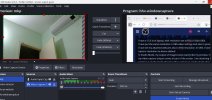
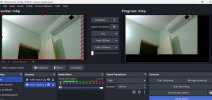
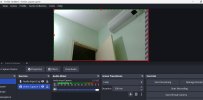
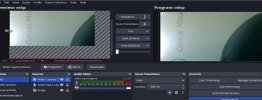
In Studio Mode, my output of images looks exactly like my preview. However, my video capture output comes in part of the screen. I am attaching 1. preview window; 2. studio mode showing video capture; 3. studio mode showing image source.
I have tried both preview modes (canvas/ scale to window) and tried to adjust the video capture to the preview area. That has no meaning, though.
As a layman, it appears to me as if something is forcing my video output to HD instead of FHD.
How to resolve this?
I have put the same resolution in OBS video settings and also in preview.
I have set my attached webcam also to FHD resolution. In OBS, I have set video capture resolution to device default.
In Studio Mode, my output of images looks exactly like my preview. However, my video capture output comes in part of the screen. I am attaching 1. preview window; 2. studio mode showing video capture; 3. studio mode showing image source.
I have tried both preview modes (canvas/ scale to window) and tried to adjust the video capture to the preview area. That has no meaning, though.
As a layman, it appears to me as if something is forcing my video output to HD instead of FHD.
How to resolve this?