

Lukas 2019
New Member
Hi,
i want to record games with my obs studio. To edit my voice, i want to record it
separately from my desktop sound.
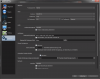
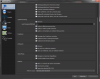
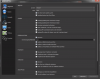
To do that I placed my desktop sound on track one and my microphone sound on track two.
The problem is that only one works. I only hear the sound from my microphone or from the desktop. It works, if i put both on the same track.
I just have no idea what I did wrong.
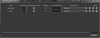
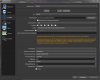
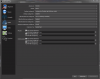
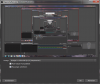
Through the settings that i attached to this report, i can only hear the sound from my microphone.
Thank you for helping me.
Best regards
Lukas
log file: https://obsproject.com/logs/4vWqfnhTZB3AEL4j
i want to record games with my obs studio. To edit my voice, i want to record it
separately from my desktop sound.
To do that I placed my desktop sound on track one and my microphone sound on track two.
The problem is that only one works. I only hear the sound from my microphone or from the desktop. It works, if i put both on the same track.
I just have no idea what I did wrong.
Through the settings that i attached to this report, i can only hear the sound from my microphone.
Thank you for helping me.
Best regards
Lukas
log file: https://obsproject.com/logs/4vWqfnhTZB3AEL4j
Attachments
-
 deutsch 1.PNG20.8 KB · Views: 49
 -
 deutsch2.PNG34.3 KB · Views: 50
 -
 deutsch3.PNG105.7 KB · Views: 52
 -
 deutsch4.PNG95.3 KB · Views: 56
 -
 deutsch5.PNG76.7 KB · Views: 48
 -
 deutsch6.PNG97.5 KB · Views: 43
 -
 deutsch7.PNG103.5 KB · Views: 43
 -
 deutsch8.PNG100.4 KB · Views: 41
 -
 deutsch9.PNG140.8 KB · Views: 42
