

Hi all, before I post my situation here, I just want everyone to know that I already changed configurations several times tested various ways of recording with OBS, Google and Youtube are our friends, unfortunately I had no luck that's why I'm here to speak with the pro's who developed this free software.
The problem is that when I'm recording for example the game "Burnout Paradise City" the recording itself is amazing no FPS drops, no stuttering, the voice recording is very well made this is one of my fav recorders of all time, however when I finish recording, I go and see the results, I open the video on VLC and it starts to go fluid and good, and all of a sudden the video freezes for a couple of seconds, my voice continues like nothing is happening and it resumes after freezing, this can happen several times or not, It's a matter of luck actually... Like I said I googled tons of solutions and not a single one has helped me, please HELP!
Computer Specs:
Intel(R) Core(TM) i7-9750H CPU @ 2.60GHz 2.59 GHz
RAM: 16 GB
Sys: 64 bits
Generic PnP Monitor (1920x1080@60Hz)
Intel UHD Graphics 630 (HP)
4095MB NVIDIA GeForce GTX 1650 (HP)
SLI Disabled
The CPU or computer never overheats while recording it's smooth as butter, seriously I don't understand.
I don't want to sacrifice any quality it's not part of my plans since while recording, It's like OBS is not even there, you don't even realize it's on, that's why I don't think tweaking on quality will make any difference, but I don't know...
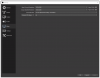
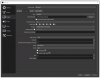
The configuration of OBS:
Logfile:
I hope my problem, can help more people around this issue.
Will be waiting for assistance/support asap.
Best Regards,
LASGB91
The problem is that when I'm recording for example the game "Burnout Paradise City" the recording itself is amazing no FPS drops, no stuttering, the voice recording is very well made this is one of my fav recorders of all time, however when I finish recording, I go and see the results, I open the video on VLC and it starts to go fluid and good, and all of a sudden the video freezes for a couple of seconds, my voice continues like nothing is happening and it resumes after freezing, this can happen several times or not, It's a matter of luck actually... Like I said I googled tons of solutions and not a single one has helped me, please HELP!
Computer Specs:
Intel(R) Core(TM) i7-9750H CPU @ 2.60GHz 2.59 GHz
RAM: 16 GB
Sys: 64 bits
Generic PnP Monitor (1920x1080@60Hz)
Intel UHD Graphics 630 (HP)
4095MB NVIDIA GeForce GTX 1650 (HP)
SLI Disabled
The CPU or computer never overheats while recording it's smooth as butter, seriously I don't understand.
I don't want to sacrifice any quality it's not part of my plans since while recording, It's like OBS is not even there, you don't even realize it's on, that's why I don't think tweaking on quality will make any difference, but I don't know...
The configuration of OBS:
Logfile:
I hope my problem, can help more people around this issue.
Will be waiting for assistance/support asap.
Best Regards,
LASGB91
