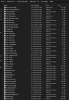
I've dl'ed and installed a few plugins (spectralizer, StreamFx, ReplaySource) into the 64bit x64 C: directory. However, when i run OBS studio none of the plugins show up for use. I'm running the 64bit windows OBS Studio and downloaded the 64bit plugins and placed in the correct drive some im confused as to whether there is another step to get them to register in the program? I've also updated OBS to 25.0.8
Log Files: https://obsproject.com/logs/vIzkpRaq0RS2E6hC
Log Files: https://obsproject.com/logs/vIzkpRaq0RS2E6hC