LieberKerl
New Member
Hey guys,
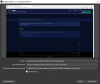
i updated my obs and finally i can record and stream the windows screen (for example any websites, youtube etc). Because before i always had a black screen. I tried really everything (youtube instructions), but nothing worked for me. And now, i can choose the Windows Graphic Captures (Win 10) an it works perfectly!
But my only problem is, how can i hide the mouse cursor? There is no box to choose??
Can anybody help me please?
i updated my obs and finally i can record and stream the windows screen (for example any websites, youtube etc). Because before i always had a black screen. I tried really everything (youtube instructions), but nothing worked for me. And now, i can choose the Windows Graphic Captures (Win 10) an it works perfectly!
But my only problem is, how can i hide the mouse cursor? There is no box to choose??
Can anybody help me please?