


J'sun
New Member
I kept reading and installed the previous version of zoom and the Virtual Camera is working I will be donating to this forumWanted to add that FPS and Video Format are red and won't allow me to edit anything just in case that helps
I kept reading and installed the previous version of zoom and the Virtual Camera is working I will be donating to this forumWanted to add that FPS and Video Format are red and won't allow me to edit anything just in case that helps
Yes, this is confirm, my older zoom is 4.6.4 and it works fine with OBS Virtual Cam.Latest version of Zoom breaks OBS Vitualcam

This is being discussed here https://github.com/CatxFish/obs-virtual-cam/issues/78Yes, this is confirm, my older zoom is 4.6.4 and it works fine with OBS Virtual Cam.
I know 4.6.6 to 4.6.9 (the latest) all are not compatible with OBC Virtual Cam.

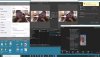 .
.
Could not get Virtual camera recognized in Zoom. I do not have a subscription to Zoom but the OBS Virtual camera shows up however would not start. I did get it to work in Skype but not zoom. Am I missing something? I started OBS first and had it working then went to Zoom but had a "failed to load camera"
View attachment 53150.
you could try NDI (https://www.reddit.com/r/ElgatoGami..._to_zoom_skype_easy_with_elgato_non_camlinks/). It has a Mac plugin. It does seem to be CPU intensive.I've read in the FAQ there's no plan for MacOS version, but... as there are other software that act as virtual webcam (like the "strange" Snap Camera plugin), this could be possible and... indeed in this corona virus bad period I'd like to "overcharge" my business Cisco Webex connection (from my Macbook Pro) with a better managed OBS-based stream, even connecting an Elgato Stream Deck...
Any idea of a similar solution for MacOS?
Many thanks in advance!

