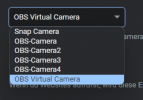
GitHub - L-udo/Obs-VCam-Changer: Obs virtual camera name changer
Obs virtual camera name changer. Contribute to L-udo/Obs-VCam-Changer development by creating an account on GitHub.
 github.com
github.com
github.com


Put here log file.I just downloaded this plug in, and I'm having an odd issue. If I click out of the OBS window, particularly into a fullscreen resource intensive application the the frame rate of my virtual cam tanks. Average time to render frames goes really high 40+ ms, and I drop 20+% of my frames. This is without even trying record or stream, just using the virtual cam while playing a game or what not. I'm on a 3700x and a 2070 super and while my GPU is typically high utilization for 3D the encoder is idle, and my CPU is comfortably below 60% utilization. My OBS isn't showing a spike in utilization and I tried giving it priority through task manager. I was able to get the camera to look mostly fine by lowing my overall video output to 30 FPS, but render time was still high for how little work the machine was doing. After seeing that improvement I tried changing my camera to 720p 60 to see if the framerates matching is what made it happy and ended up with the same problems as I originally had. Is there something I'm missing?
I can't actually reproduce the performance hit to anywhere near the degree I had last night. It seems it was simply an issue that required a PC restart. Thank you none the less.Put here log file.
insufficient bus bandwidth - check PCIE speed, some processors have only 16 PCIE lines, if you have a USB bridge connected via PCIE, the graphics card will not switch to 16x mode, only 8x (i.e. slow down by 50%)
virtual camera - its driver is in RAM, OBS must send data from the graphics card via PCIE buses, 1080p60 is 3 Gb / s it's not too much but if your scene is complicated lags up.
Another thing - check how it will behave with the minimum number of elements on the scene, only game capture.
 github.com
Discontinued as of OBS 25.0 (March 2020)