corkscrew2
New Member
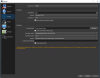
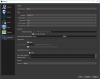
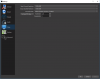
Hey guys i am a youtuber with 10 000 subscribers and as of recently my recording got messed up. This happened at the exact moment when i plugged my second monitor into my PC. Now at first i plugged it into the GPU and then when i saw my video skipping frames i switched the plug into the motherboard. It didn't work and it still skipped frames so i just unplugged it and tried again and it happened again. I have no idea what causes that I've been recording videos from a long time and this hasn't happened to me before.. I posted pictures of my settings i use and here are some videos with the same settings before and after:
Before: https://youtu.be/kbb7egNTkzQ
After: https://youtu.be/VvYPBMTrvFk (Before it was skipping like 3-4 second frames now it just lags like that)
Here are the things i've tried:
Setting the proccess priority to high, Changing the CODEC to NVENC, Changing the Fractional fps to 60 fps, Re-installing the program, Changing to other versions, Unplugging my second monitor
My PC Specs are:
CPU: Intel Core i5 4690
GPU: NVIDIA GeForce GTX 770
Motherboard: ASRock Z97 Anniversary
For some reason it doesn't show me the log file URL if somebody can tell me how to fix that so i can post one.
Before: https://youtu.be/kbb7egNTkzQ
After: https://youtu.be/VvYPBMTrvFk (Before it was skipping like 3-4 second frames now it just lags like that)
Here are the things i've tried:
Setting the proccess priority to high, Changing the CODEC to NVENC, Changing the Fractional fps to 60 fps, Re-installing the program, Changing to other versions, Unplugging my second monitor
My PC Specs are:
CPU: Intel Core i5 4690
GPU: NVIDIA GeForce GTX 770
Motherboard: ASRock Z97 Anniversary
For some reason it doesn't show me the log file URL if somebody can tell me how to fix that so i can post one.