Question / Help OBS Studio dropping frames on recording!

StrixZ

New Member
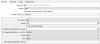
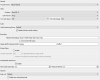
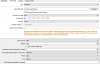
When I am streaming or recording, my recordings or streaming seems to drop frames at some point and I don't really know why. I've tried a lot of settings but it's still the same results. Any Ideas or support? No my game fps are fine no drops while playing games just OBS streaming and recording part is.

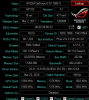
PC Specs:
CPU: i7 8700k
GPU: Asus GTX 1080Ti
Ram:corsair 16GB 3200MHZ
SSD: Samsung 850 Evo 500GB
HDD: WD Black 2TB
 

Attachments

  • 4f70844e3ca1d81ea482724088803add.png
    4f70844e3ca1d81ea482724088803add.png
    32.5 KB · Views: 70
  • 43fba2854caff9d6c86dd3aa78b8b7a1.png
    43fba2854caff9d6c86dd3aa78b8b7a1.png
    13.2 KB · Views: 70
  • 101a52d6d4ce5762c9c15092fe7d5322.png
    101a52d6d4ce5762c9c15092fe7d5322.png
    20.2 KB · Views: 62
  • 0293d62fbc6aea33963a10990fb4efb6.png
    0293d62fbc6aea33963a10990fb4efb6.png
    5.2 KB · Views: 56
  • d2a998bd5c7b3db581baea040559f86b.png
    d2a998bd5c7b3db581baea040559f86b.png
    22.7 KB · Views: 50
Take my advice with a grain of salt, though I'd still appreciate if you posted a log of a recording/streaming attempt.

1) Lowering OBS FPS to 30 and enable vsync or frame rate limiter on the game you're trying to record.
2) Disable "rescale output" on your streaming tab, on OBS
3) if you're streaming and recording at the same time or even just recording, change recording encoder to NVENC and increase recording bitrate (better quality, unrelated to your problem though).

Without a log of a streaming or recording attempt, can't help you beyond this.
 
Take my advice with a grain of salt, though I'd still appreciate if you posted a log of a recording/streaming attempt.

1) Lowering OBS FPS to 30 and enable vsync or frame rate limiter on the game you're trying to record.
2) Disable "rescale output" on your streaming tab, on OBS
3) if you're streaming and recording at the same time or even just recording, change recording encoder to NVENC and increase recording bitrate (better quality, unrelated to your problem though).

Without a log of a streaming or recording attempt, can't help you beyond this.
https://www.twitch.tv/videos/254151999
 
Take my advice with a grain of salt, though I'd still appreciate if you posted a log of a recording/streaming attempt.

1) Lowering OBS FPS to 30 and enable vsync or frame rate limiter on the game you're trying to record.
2) Disable "rescale output" on your streaming tab, on OBS
3) if you're streaming and recording at the same time or even just recording, change recording encoder to NVENC and increase recording bitrate (better quality, unrelated to your problem though).

Without a log of a streaming or recording attempt, can't help you beyond this.
At some point it drops for a sec then it's smooth again.
 
Back
Top