Astropanda126
New Member
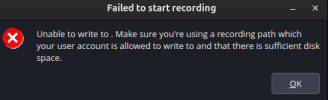
I previously had OBS set up to write to a folder in the root filesystem, but was quickly running out of space. I tried to move the writing path to a new folder on a different disk, but it won't write to it. It always says "The configured Recording Path could not be opened. Please check your Recording Path under Settings → Output → Recording."
Even if I try to set every folder in the directory to read and write for all users, and in the disks app aswell, it still doesn't work. If tried looking up ways to fix this online but it just gives me the same wrong answer. There is 350+ gb of space left on the new drive.
My current solution is to use the extremely limited space on the root disk and to move it somewhere else when it gets full (which is a piss poor solution).
If anybody knows of a way I might be able to get OBS writing to the correct filesystem, help would be greatly appreciated.
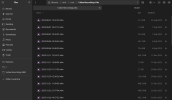
first file: new directory, just a transfer of that which used to be on root
second file: image of error message
Even if I try to set every folder in the directory to read and write for all users, and in the disks app aswell, it still doesn't work. If tried looking up ways to fix this online but it just gives me the same wrong answer. There is 350+ gb of space left on the new drive.
My current solution is to use the extremely limited space on the root disk and to move it somewhere else when it gets full (which is a piss poor solution).
If anybody knows of a way I might be able to get OBS writing to the correct filesystem, help would be greatly appreciated.
first file: new directory, just a transfer of that which used to be on root
second file: image of error message