Question / Help OBS MP with multiple Audiotracks + Sony Movie Platinum 12?

Luftbeutel

New Member
Hello everyone!

First up, I'm sorry for my bad english, but I hope, you can understand me.

I switched about a year to DXTory, because it supports multiple Audiotracks, which I found really cool.
But at october or something like that, I discovered OBS MultiPlatform, which also supports multiple Audiotracks.
And with my experience with OBS about streaming and recording, I decided to use OBS MultiPlatform.

I downloaded it from the homepage, installed it, configured it und recorded a game to testing it.
Now, he're I stuck now:

My editing programm "Sony Movie Platinum 12" imports the videofile... but no audio. None of the 2 audiotracks.

Do I have to need a codec or anything like that? Or need I to buy a new programm? When yes, which one does work?

Because Movie Platinum always worked for me and I really like the programm.

I hope, somebody can help me with it.
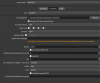
 
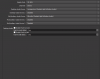
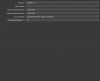
I hope this is what you meant
 

Attachments

  • Output.png
    Output.png
    22.9 KB · Views: 63
  • Audio.png
    Audio.png
    16.9 KB · Views: 57
  • Video.png
    Video.png
    11.2 KB · Views: 66
looks good so far.except, in output.png you hooked the 4th track too, but there is no input. perhaps this is doing trouble??
 
It says this:

General
Complete name : C:\Users\[My Name]\Desktop\Videos\OBS Aufnahmen\2015-12-27_17-49-17.mp4
Format : MPEG-4
Format profile : Base Media
Codec ID : isom
File size : 189 KiB
Duration : 3s 600ms
Overall bit rate mode : Variable
Overall bit rate : 431 Kbps
Writing application : Lavf57.14.100

Video
ID : 1
Format : AVC
Format/Info : Advanced Video Codec
Format profile : High 4:4:4 Predictive@L4
Format settings, CABAC : Yes
Format settings, ReFrames : 1 frame
Codec ID : avc1
Codec ID/Info : Advanced Video Coding
Duration : 3s 600ms
Bit rate : 120 Kbps
Width : 1 920 pixels
Height : 1 080 pixels
Display aspect ratio : 16:9
Frame rate mode : Constant
Frame rate : 30.000 fps
Color space : YUV
Chroma subsampling : 4:2:0
Bit depth : 8 bits
Scan type : Progressive
Bits/(Pixel*Frame) : 0.002
Stream size : 52.6 KiB (28%)
Writing library : x264 core 148 r2638 7599210
Encoding settings : cabac=1 / ref=1 / deblock=1:0:0 / analyse=0x1:0x111 / me=hex / subme=2 / psy=0 / mixed_ref=0 / me_range=16 / chroma_me=1 / trellis=0 / 8x8dct=1 / cqm=0 / deadzone=21,11 / fast_pskip=0 / chroma_qp_offset=0 / threads=6 / lookahead_threads=2 / sliced_threads=0 / nr=0 / decimate=1 / interlaced=0 / bluray_compat=0 / constrained_intra=0 / bframes=0 / weightp=1 / keyint=250 / keyint_min=25 / scenecut=40 / intra_refresh=0 / rc=cqp / mbtree=0 / qp=0
Color range : Limited
Color primaries : BT.709
Transfer characteristics : BT.709
Matrix coefficients : BT.709

Audio #1
ID : 2
Format : AAC
Format/Info : Advanced Audio Codec
Format profile : LC
Codec ID : 40
Duration : 3s 552ms
Bit rate mode : Constant
Bit rate : 164 Kbps
Channel(s) : 2 channels
Channel positions : Front: L R
Sampling rate : 44.1 KHz
Compression mode : Lossy
Stream size : 71.1 KiB (38%)
Title : Track2

Audio #2
ID : 3
Format : AAC
Format/Info : Advanced Audio Codec
Format profile : LC
Codec ID : 40
Duration : 3s 552ms
Bit rate mode : Variable
Bit rate : 137 Kbps
Maximum bit rate : 160 Kbps
Channel(s) : 2 channels
Channel positions : Front: L R
Sampling rate : 44.1 KHz
Compression mode : Lossy
Stream size : 59.6 KiB (31%)
Title : Track3
 
I´m sorry, i think i can´t help you.
the last thought i have is, the adobe premiere guys using the .mov container instead of .mp4.
if this doesn´t help, you should leave a log file for the devs or whoever can read them.
 
No, helped not.
Well, i mean... how should i leave here a log file, when there isn't actually one?
The media info is enough, i think.
 
Back
Top