
OBS mic recording broken...

CharlesEChez

New Member
Earlier today I tried to record a video with my airpods mic. I have both an audio input and output capture
1625572989696.png

however it only recorded the game's sound and not the mic.
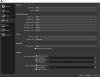
These are my current sound settings, in case there's something wrong with them:
1625573158637.png


And this is the log file: https://obsproject.com/logs/J-zenKLvqsuTvazf
 

Attachments

  • 1625573114175.png
    1625573114175.png
    61.2 KB · Views: 15
A couple of things are messed up.

Never let "default" map your audio device more than once to audio channels in the mixer. Map each one directly using its entry in the list, all others set to "disable".

Then i could see that OBS set to 48k, another one initializes with 44.1k and the mic (bluetooth?) with 8k. Thats a huge mess. Try to set them all in windows->sound settings to 48k by default. If only 44.1k possible then switch obs in its settings to 44.1k, too.

Bluetooth headsets may have special problems. Search for appropriate threads here in the forum, please.
 
A couple of things are messed up.

Never let "default" map your audio device more than once to audio channels in the mixer. Map each one directly using its entry in the list, all others set to "disable".

Then i could see that OBS set to 48k, another one initializes with 44.1k and the mic (bluetooth?) with 8k. Thats a huge mess. Try to set them all in windows->sound settings to 48k by default. If only 44.1k possible then switch obs in its settings to 44.1k, too.

Bluetooth headsets may have special problems. Search for appropriate threads here in the forum, please.
I can't actually switch to 48k or 44.1k, it only stays on 8k
1625574824075.png
 
Yeah, then it is still bound (actively hold/locked) by some application!
Even disable "audio enhancements", it does any worse in most cases.
The checkbox for "exclusive control"... it depends. Sometimes this works better, sometimes that. Give it a try then.
 
Back
Top