OBS connection

imaximusi

New Member
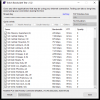
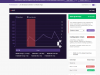
Alright so i need help as my connection on obs only, everything else works fine including stream labs and twitch studio, ive tried everything for the past three hours and nothing as worked, this is my message to the admins for a cry of help i need to a talk to on eof you in a voice chat or something, please help
 

Attachments

  • connection.PNG
    connection.PNG
    19.3 KB · Views: 19
  • LxtnjLs.png
    LxtnjLs.png
    35 KB · Views: 18
  • Capture.PNG
    Capture.PNG
    57.3 KB · Views: 16
Always best to note pinned posts in a forum before posting. in this case
https://obsproject.com/wiki/
https://obsproject.com/wiki/Dropped-Frames-and-General-Connection-Issues

And for Twitch, with R1ch's TwitchTest tool to check your connection to the servers; you want a Quality score of 100, preferably. https://r1ch.net/projects/twitchtest

Looks like you have a network upload bandwidth issue (if not outright Internet connection problem). A 5Mbps upload is LOW. Is anyone else using it?
 
Most recent Microsoft patch well documented to be causing issues?
Or other update?
Or an ISP or home LAN issue (like a neighbor getting onto your WiFi, etc)...
lots of possibilities and using basic scientific method to eliminate hypotheses quickest way to resolution (or getting lucky and stumbling upon issue)

But if issue only within OBS, and you haven't done a recent large update (like from v25 to 26), then most likely a settings change in OBS or even more likely is a 3rd party plugin, especially the PoS streamlabs plugin (a common source of trouble)?

Check your OBS logs, and if need be post per pinned forum article
 
Back
Top