
Obs 28.0.1 intel -balance controle busted

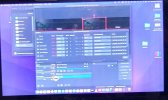
It looks like the balance controls don't work on obs28.0.1 running on Mac OS 12.5.1 on a 2018 Mac Mini.

The balance controls won't slide either way. And it looks like half the balance bar is missing like it only goes from center to right not.

It also looks like it's putting some video sources in the audio box. I don't know how my audio thinks my video is a source.

And then there's this weird issue about Macintosh as being only the capture mono sources. The HDMI stereo apparently does not work on my Mac.

If you could fix the slider so that they actually move that would actually help.
 

Attachments

  • IMG_20220905_215847194_HDR~2.jpg
    IMG_20220905_215847194_HDR~2.jpg
    249.3 KB · Views: 37
I am encountering similar difficulties with our OBS. My usual windows streaming PC crashed this week and I had to get our iMac to jump in with a simple HDMI-USB capture device. It worked well for the most part.... except we lose the stereo mix. It seems to only be capable of doing mono... which sort of sucks since we have someone mixing live on a console.... and that's a surefire way to really kill a nice a mix... making it mono. It's immediately noticeable that that's the problem. Not sure how to fix it aside from prioritizing getting the Windows PC revived somehow...
 
I am encountering similar difficulties with our OBS. My usual windows streaming PC crashed this week and I had to get our iMac to jump in with a simple HDMI-USB capture device. It worked well for the most part.... except we lose the stereo mix. It seems to only be capable of doing mono... which sort of sucks since we have someone mixing live on a console.... and that's a surefire way to really kill a nice a mix... making it mono. It's immediately noticeable that that's the problem. Not sure how to fix it aside from prioritizing getting the Windows PC revived somehow...
I got a solution.

1. But 2 soundblasters, a 3.5mm trs to 2 rca cable, and 2 mono RCA to 3.5. TRS M adapters.

2. Convert 3.5mm to 2 rca L/R
3. Plug each RCA into 3.5MM TRS adapter.
4. Plug each adapter into one sound Blaster Play 3 apiece.
5. Slide the left mono channel to all left and slide right mono channel to all right.

I solved it with hardware attachments.
 
Back
Top