
Question / Help Not recording Microphone Audio

If you are recording multiple tracks in OBS, check them in VLC or some other audio player which has good format support, and make sure you have checked all of the tracks in VLC (by using the Audio/Audio Track menu).
 
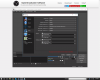
Here are my settings and my most recent log!
Could any of the settings be messed up?
Screenshot (26).png
Screenshot (26).png
 

Attachments

When you click the cog next to "Mixer" on the main OBS window, is your mic on track 1 along with your desktop audio?
When you're recording, does the green meter for your mic on the main OBS window show activity?
 
When you click the cog next to "Mixer" on the main OBS window, is your mic on track 1 along with your desktop audio?
When you're recording, does the green meter for your mic on the main OBS window show activity?

Question 1: When you click the cog next to "Mixer" on the main OBS window, is your mic on track 1 along with your desktop audio? | Answer 1: Yes

Question 2:
When you're recording, does the green meter for your mic on the main OBS window show activity?
Answer 2: Yes
 
Back
Top