

I'm done with OBS...
I think really need your help guys. My PC isn't so bad and i've seen many people can stream on this setup but i can't fight correct settings. I've tried to stream PUBG on Nvenc and x264 and it is awful af. When i've tried it on Nvidia shadowplay i could do it without any lags in 1080p and 60 fps constans and excellent quality at 6mbps bitrate. When I'm just playing i've got about 100-120 fps.
My PC specs:
I7 7700K
GTX1060 G1 Gaming 6gb
16 GB RAM A-data XPZ-G
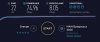
I'm giving you screen with GPU-Z when running game and obs on nvenc, PC performance when running PUBG and internet speed test made on ookla. I hope you can help me with this guys and sorry for my english.


I think really need your help guys. My PC isn't so bad and i've seen many people can stream on this setup but i can't fight correct settings. I've tried to stream PUBG on Nvenc and x264 and it is awful af. When i've tried it on Nvidia shadowplay i could do it without any lags in 1080p and 60 fps constans and excellent quality at 6mbps bitrate. When I'm just playing i've got about 100-120 fps.
My PC specs:
I7 7700K
GTX1060 G1 Gaming 6gb
16 GB RAM A-data XPZ-G
I'm giving you screen with GPU-Z when running game and obs on nvenc, PC performance when running PUBG and internet speed test made on ookla. I hope you can help me with this guys and sorry for my english.
