
NDI Plugin Error in OBS Studio 25.0.8 (x64)

rafaelhol

New Member
Bug Ndi In Obs Studio 25.0.8 (x64) for Windows 7 Professional (X64)

NDI does not start

Hello OBS staff. I'm using windows 7 Professional (x64) with all updates ok, trying to use the NDI plugin in OBS Studio version 25.0.8 (x64) without success. By downloading the plugin (NDI) version 4.9.0 and installing with its respective dependency of (NDI 4 Runtime) version 4.5.1 (x64). After opening OBS and setting it to "Tools"> Active "MAIN, NDI Output" it returns an error message and closes the program. I believe it is a matter of x86 incompatibility with x64. I'm forwarding the error log and a screenshot of the screen so that someone can evaluate it. Thank you


Log Error: https://obsproject.com/logs/YnOzjjYkB19SKaQG
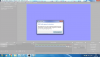
 

Attachments

  • NDI-Error-In-OBS-Studio-v25.png
    NDI-Error-In-OBS-Studio-v25.png
    186 KB · Views: 542
Has anyone experienced this problem using x64 version of windows 7 professional along with OBS 25.0.8 (x64) ?????
Can anyone give a HELP?
 
Sincerely, with all due respect, but I see no reason to discontinue the support of an OPEN SOURCE program for the renowned windows 7.
Obs studio uses the libraries of Universal Run Time Visual Windows6.1, which should make programs developed from windows 10 compatible with windows 7.


In addition, visual studio 2017 libraries should address the compatibility issue
.

Another issue is that the version of OBS Studio 25.0.8 (x86) works perfectly on the same system as the version (x64) has an error. Without the NDI plugin, both the x86 and x64 versions will work perfectly. The x86 version works perfectly with NDI, however the x64 version when installing the NDI plugin simply Bug the Obs doing it or Open it.
If you uninstall the NDI 4.9.0 plugin, OBS will work perfectly again!
All of this reinforces some bug between the integration of OBS and NDI and has nothing to do with the operating system. I hope that some plugin or obs developer can read and correct this flaw. In the first post I posted the log file ... I hope to be helped .. big hug!
 
Sounds like the issue is with the NDI plugin then, but as Windows 7 is unsupported it's unlikely anyone will spend time looking into this.
 
Yes, that's right. The problem is with the NDI Plugin that causes version 25.0.8 (x64) to crash on Windows 7 Professional. I hope that a good soul will fix this problem. Since many users still prefer to remain using windows 7 for performance on older machines.
If anyone can fix this problem many of the community are grateful! Thank you! Remembering that OBS locks only when the MAIN-OUTPUT function is activated.
 
OBS NDI plugin is a 3rd party plugin. Its best to post an Issue at Github where you downloaded it from so Palakis is aware of your problem.

Doing a quick look on the source code, the only major difference that **could** be causing the problem is the removal of Internal sync mode. If you were using that mode, the plugin no longer uses it in 4.9.0 and sets the mode to source timing.

You could do some things in the following order:
  1. Find where OBS Plugin persists its settings and try to get it to load different settings before it hangs
  2. Rollback to version 4.8.0 and test to see if the problem goes away
  3. Build the plugin yourself with internal sync mode code back in (not recommended)
NDI property settings are persisted in:
C:\Users\Username\AppData\Roaming\obs-studio\basic\scenes\Default.json

Bring up a text editor/Notepad and open that JSON file up. You will see somewhere in the file a section that looks like this:
"settings": {
"latency": 0,
"ndi_fix_alpha_blending": false,
"ndi_recv_hw_accel": false,
"ndi_source_name": "I9-9900K (i9-9900KSF)",
"ndi_sync": 2,
"yuv_range": 2
},


Set ndi_sync to be 1 or 2 and test each case see if it fixes the problem:

According to the source code the values for the Sync property are:
0 = Internal (and no longer supported in 4.9.0)
1 = NDI Source Timestamp = Network
2 = NDI Source Timecode = Source Timing

Also, it maybe hardware acceleration being set to true. Set it to false and test to see if that works.

When you make these changes, save the JSON file.
Make sure you close down OBS Studio and then start it up again, and then run your tests.

Good luck
 
Last edited:
Hello guys, passing by to say that I redid the tests on other versions of microsoft operating system

1- Windows 7 professional x64 = NDI Error
2- Windows 8.1 single Language x64 = NDI Error
3- Windows 10 Single Language x64 = NDI Error
4- Windows 10 Professional x64 = NDI Error

Which leads us to believe that the BUG of the NDI plugin actually extends to all x64 versions of windows. The error appears to be between the integration of the x64 version of OBS with the NDI Plugin.

I hope this helps developers to fix the flaw. THX
 
Dude, you are using an extremely poor CPU and video adapter . There's no way this is going to work as an x264 NDI Server.
You need a way better computer than this.

18:17:40.487: CPU Name: Pentium(R) Dual-Core CPU T4500 @ 2.30GHz
18:17:40.487: CPU Speed: 2294MHz
18:17:40.487: Physical Cores: 2, Logical Cores: 2

18:17:41.025: Available Video Adapters:
18:17:41.029: Adapter 0: Mobile Intel(R) 4 Series Express Chipset Family
18:17:41.029: Dedicated VRAM: 67108864
18:17:41.029: Shared VRAM: 1711271936
18:17:41.029: PCI ID: 8086:2a42
18:17:41.030: Driver Version: 8.15.10.2086
18:17:41.031: output 0: pos={0, 0}, size={1366, 768}, attached=true, refresh=60, name=


Your computer is likely hung with Windows telling you that OBS stopped because it can't handle the load.
 
Back
Top