Question / Help My Recordings Don't Show Colors Correctly

lol5654057

New Member
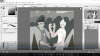
I have OBS version 21.01.1, and was recording a speedpaint. To my horror, the colors came out very grey. I tested recordings multiple times and it happened over and over.

OBS:
upload_2018-2-24_21-33-58.png

Actual Image:
upload_2018-2-24_21-35-4.png


I have absolutely no clue what could be causing this.
 

Attachments

  • upload_2018-2-24_21-33-47.png
    upload_2018-2-24_21-33-47.png
    561.2 KB · Views: 20
  • upload_2018-2-24_21-34-39.png
    upload_2018-2-24_21-34-39.png
    122.8 KB · Views: 24
@SumDim Rarely I can help here (2 years ago I didn't knew how to use color bars, and why...).

@lol5654057 But I think that viewing conditions - software player, is different from that I usually use. I can recommend to try to shoot short example and upload it raw to YouTube and see how it re-encoded by YouTube (post a link, if you don't mind).
Then you can restart OBS Studio and upload the last log file (Help menu) - it may help to find out what happens, if you have unusual setup or something like this.

By the way, what the player and codec?
 
Check your NVIDIA Control Panel /Video Color settings to ensure you aren't using "With the NVIDIA Settings", that looks like Saturation
 
Alright, it turns out it was just the media player I was using. I loaded the recording in a video editor and boom, full color. Sorry for bothering all of you.
 
Back
Top