Question / Help Multiple Audio Tracks Not Separate

Foxum

New Member
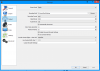
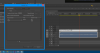
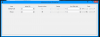
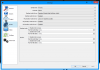
I recently tried to record multiple separate audio tracks using OBS. When I tried to import them into Adobe Premiere the tracks were not separate and only shown as one track not allowing me to edit them individually. I am not totally sure what is happening. I have double checked all the settings to ensure everything is working. I attached files below. 02-55 is the log file.
 

Attachments

  • Video Settings.PNG
    Video Settings.PNG
    51 KB · Views: 227
  • Adobe Result.PNG
    Adobe Result.PNG
    66.7 KB · Views: 259
  • 2015-07-19 17-02-55.txt
    2015-07-19 17-02-55.txt
    26.9 KB · Views: 58
  • Audio Tracks.PNG
    Audio Tracks.PNG
    12.8 KB · Views: 220
  • Audio Settings.PNG
    Audio Settings.PNG
    55.4 KB · Views: 196
  • Still no luck, it may be an issue with adobe not recognizing multiple audio tracks.. What program can I use to easily check there is multiple audio channels I can edit. I tried audacity, but its quite annoying editing video audio files.
 
What Premiere Version are you using?

Adobe Premiere Pro CC 2015 for example works fine but the 2014er version seems to have issues.
 
Yeah, the screenshot looks like 2014, and that version does not support video files with multiple audio tracks. This was resolved in CC 2015.
 
Back
Top