Sam Nystrom
New Member
Hello,
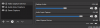
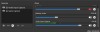
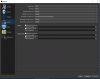
I'm using a Blue Yeti mic as my microphone and a Logitech webcam as a.. well, webcam. My microphone works great on stream when I don't use my webcam, and the levels on the mic/aux bar in the mixer reflect this. However, whenever I add the webcam, the Mic/Aux levels drop to 0, and I can't figure out why. I need to stop my stream, and restart OBS to get my mic to work again. I would really like to use my webcam for streams. Any help would be greatly appreciated!
I'm using a Blue Yeti mic as my microphone and a Logitech webcam as a.. well, webcam. My microphone works great on stream when I don't use my webcam, and the levels on the mic/aux bar in the mixer reflect this. However, whenever I add the webcam, the Mic/Aux levels drop to 0, and I can't figure out why. I need to stop my stream, and restart OBS to get my mic to work again. I would really like to use my webcam for streams. Any help would be greatly appreciated!