Hello,
I'm a Frenchman, I translated all this via a website so sorry if this is not very well written.
I stream since last November, I stream with Stream Labs OBS, I switched to OBS Studio since then, it works very well, I stream in 1080P 60 FPS without any loss of image but due to health problems at the beginning of the year I had to take a break on the lives, I reset the PC in the meantime which had reset my settings on the stream software to 0, I tried again on 18/02/2022 to stream, and it is at this time that I noticed that I had loss of images due to the network (+60%) during my lives which makes it impossible to stream in good quality, I also contacted my ISP, it confirms me 100% that everything is fine with them and that the problem does not come from them, I checked all the components of the PC, and since it still works very well at the beginning of January, I do not see why it would not work anymore.
I tried via Stream Labs OBS and OBS studio software, on my PC in both cases it gives the same result.
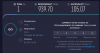
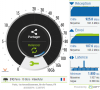
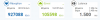
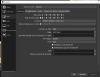
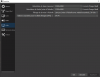
I could give you the components of the computer but since the loss of image comes from the network I don't think that the components change anything especially since as I said before I stream very well without any loss of image and with the same settings as now, I have a pretty good connection I put attached 2 screens of speed test to show you my connection, 2 Screen settings, and 1 zoom on the loss of image if you need other screen or information do not hesitate.
So with all the information I've been able to gather, opinions left and right, we all agree that the problem should come from the software or Twitch, but the fact that for some it works, I'm still confused
I'm going to continue some tests this morning including streaming on another internet connection, and trying to stream with my stream key on another computer, if it fixes the problem I'll let you know but I wanted to post here anyway in case it works
I remind you that I am French so sorry if the screen notably of the parameters of my OBS Studio are in French, if any French people see this you can answer in French and it will be easier for me to do the manipulations and understand everything, I also have a discord if needed but I don't speak English very well and I don't understand English very well orally as I said I use a translator thank you for your understanding for that
I apologize for any spelling mistakes that may have occurred
Thank you in advance for your answers and your understanding
I'm a Frenchman, I translated all this via a website so sorry if this is not very well written.
I stream since last November, I stream with Stream Labs OBS, I switched to OBS Studio since then, it works very well, I stream in 1080P 60 FPS without any loss of image but due to health problems at the beginning of the year I had to take a break on the lives, I reset the PC in the meantime which had reset my settings on the stream software to 0, I tried again on 18/02/2022 to stream, and it is at this time that I noticed that I had loss of images due to the network (+60%) during my lives which makes it impossible to stream in good quality, I also contacted my ISP, it confirms me 100% that everything is fine with them and that the problem does not come from them, I checked all the components of the PC, and since it still works very well at the beginning of January, I do not see why it would not work anymore.
I tried via Stream Labs OBS and OBS studio software, on my PC in both cases it gives the same result.
I could give you the components of the computer but since the loss of image comes from the network I don't think that the components change anything especially since as I said before I stream very well without any loss of image and with the same settings as now, I have a pretty good connection I put attached 2 screens of speed test to show you my connection, 2 Screen settings, and 1 zoom on the loss of image if you need other screen or information do not hesitate.
So with all the information I've been able to gather, opinions left and right, we all agree that the problem should come from the software or Twitch, but the fact that for some it works, I'm still confused
I'm going to continue some tests this morning including streaming on another internet connection, and trying to stream with my stream key on another computer, if it fixes the problem I'll let you know but I wanted to post here anyway in case it works
I remind you that I am French so sorry if the screen notably of the parameters of my OBS Studio are in French, if any French people see this you can answer in French and it will be easier for me to do the manipulations and understand everything, I also have a discord if needed but I don't speak English very well and I don't understand English very well orally as I said I use a translator thank you for your understanding for that
I apologize for any spelling mistakes that may have occurred
Thank you in advance for your answers and your understanding