Hello.
I like to stream PlayerUnknowns Battlegrounds in 720P 60FPS.
The graphic settings from PUBG are all on "low" except Viewing Distance is on medium, and Texture Quality is on medium.
I have an Upload about 25 MBit/s, enough i think, and the Bitrate in OBS studio is on 4000.
The stream runs very smooth, but sometimes the stream stutters when i´m moving in game. But why?
Sooo many people can stream lag and stutter-free with this setup or a lower setup, but why i cant do this? :-(
It would be very nice if someone can help me! :-)
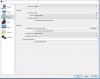
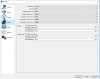
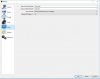
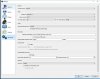
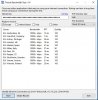
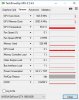
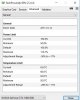
I will attach Screenshots from my OBS Settings, from the Twitch Bandwidth Test, from a Speedtest and i post a link to the OBS Log.
Logfile:
https://gist.github.com/cf3b85bdef33a3afb7bdffb9755234db
My PC Setup:
CPU: i7 7700k
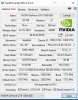
GPU: Gigabyte G1 GTX1060
RAM:16GB DDR4 2400MHz
Mainboard: Gigabyte B250-HD3P
Thanks and best regards from germany
Sven
I like to stream PlayerUnknowns Battlegrounds in 720P 60FPS.
The graphic settings from PUBG are all on "low" except Viewing Distance is on medium, and Texture Quality is on medium.
I have an Upload about 25 MBit/s, enough i think, and the Bitrate in OBS studio is on 4000.
The stream runs very smooth, but sometimes the stream stutters when i´m moving in game. But why?
Sooo many people can stream lag and stutter-free with this setup or a lower setup, but why i cant do this? :-(
It would be very nice if someone can help me! :-)
I will attach Screenshots from my OBS Settings, from the Twitch Bandwidth Test, from a Speedtest and i post a link to the OBS Log.
Logfile:
https://gist.github.com/cf3b85bdef33a3afb7bdffb9755234db
My PC Setup:
CPU: i7 7700k
GPU: Gigabyte G1 GTX1060
RAM:16GB DDR4 2400MHz
Mainboard: Gigabyte B250-HD3P
Thanks and best regards from germany
Sven