You are using an out of date browser. It may not display this or other websites correctly.
You should upgrade or use an alternative browser.
You should upgrade or use an alternative browser.
Question / Help I need help for settings
- Thread starter easydoor
- Start date

DEDRICK
Member
Disable Game Mode (Windows + i, Gaming, Game Mode), if you have the latest update of WIndows 10 you can simply turn it off here.
If you don't have the latest update you can disable by 1 of 2 ways.
Registry -- Recommended, if you feel up to it, takes less than 1 min (Make sure you reboot)
https://www.addictivetips.com/windows-tips/disable-game-mode-in-fall-creators-update-windows-10/
or by using the Game Bar, if you want to play it safe, never done it myself.
https://www.windowscentral.com/how-enable-disable-game-mode-windows-10
If you don't have the latest update you can disable by 1 of 2 ways.
Registry -- Recommended, if you feel up to it, takes less than 1 min (Make sure you reboot)
https://www.addictivetips.com/windows-tips/disable-game-mode-in-fall-creators-update-windows-10/
or by using the Game Bar, if you want to play it safe, never done it myself.
https://www.windowscentral.com/how-enable-disable-game-mode-windows-10
DEDRICK
Member
The 2600 is a 6c/12t processor so you could do x264.
I would try
Video
Base Resolution - Your Monitors Resolution
Output - 1280x720
FPS - 60
Downscale - Bicubic
Output - (Advanced)
Streaming
Encoder - x264
Enforce Streaming Service encoder settings - On
Rescale Output - Off
Bitrate - 6000 Kbps (I don't know your upload speed, you may need to adjust)
Keyframe Interval - 2
CPU Preset - Fast
Profile - High
Tune - None
See how that affects your FPS in game, a small dip is normal but I would suspect the 2600 should have no issues. If you want to output at 1080p60 you wil need to reduce your CPU Preset or switch to AMD VCE
I would try
Video
Base Resolution - Your Monitors Resolution
Output - 1280x720
FPS - 60
Downscale - Bicubic
Output - (Advanced)
Streaming
Encoder - x264
Enforce Streaming Service encoder settings - On
Rescale Output - Off
Bitrate - 6000 Kbps (I don't know your upload speed, you may need to adjust)
Keyframe Interval - 2
CPU Preset - Fast
Profile - High
Tune - None
See how that affects your FPS in game, a small dip is normal but I would suspect the 2600 should have no issues. If you want to output at 1080p60 you wil need to reduce your CPU Preset or switch to AMD VCE
YasinGames
Member
i got for myself quicsync enabled with an i3-4130 with intel hd 4400 6gb RAM installed 2 hdd drives of 500gb
IM STREAMING smooth for my self my settings are
Video
Base Resolution - 1920x1080
Output - 1280x720
FPS - 30
Downscale - Bicubic
Output - (Advanced)
Streaming
Encoder - Quicksync
Target usage - balanced
Enforce Streaming Service encoder settings - On
Rescale Output - Off
Bitrate - CBR 1400
Keyframe Interval - 2
async depth - 4
Profile - High
IM STREAMING smooth for my self my settings are
Video
Base Resolution - 1920x1080
Output - 1280x720
FPS - 30
Downscale - Bicubic
Output - (Advanced)
Streaming
Encoder - Quicksync
Target usage - balanced
Enforce Streaming Service encoder settings - On
Rescale Output - Off
Bitrate - CBR 1400
Keyframe Interval - 2
async depth - 4
Profile - High

koala
Active Member
@YasinGames please don't confuse people with posts in unrelated threads and unrelated to topic. You're answering a thread where the thread opener has a Ryzen processor and AMD GPU with a Quicksync answer. He cannot have Quicksync! Your answer is confusing in the best case and sending him on a fool's errand in the worst case.
It's nice that you want to help, but please stick to the topic at hand.
It's nice that you want to help, but please stick to the topic at hand.
YasinGames
Member
ok i will stop
DEDRICK
Member
Depends on the game, the 1060 and 580 are neck and neck. They could be using NVENC to do the encoding so they aren't losing any FPS.
They could have faster ram, newest BIOS, chipset drivers, lots of stuff impacts Ryzen performance.
I don't know what game you are referring to so it could be anything.
They could have faster ram, newest BIOS, chipset drivers, lots of stuff impacts Ryzen performance.
I don't know what game you are referring to so it could be anything.
the game is fortnite, my friend streaming with the video card, but there is a colossal difference, my fps continue to go down and go up, compared to yesterday seems to be worse, there is no way to keep the fps stable at least at 120? I say even if rx580 8gb and r5 2600 are not the top, it is strange that do not hold a fortnite at 120 fps, I also put the 4: 3 for a slight boost, but nothing.
DEDRICK
Member
Like I said, if you are experiencing dips you can reduce your CPU Preset or switch to AMD AMF/VCE and use your GPU to encode
How much ram do you have, how many sticks, and how fast? And are you running them in Dual Channel?
CPU-Z can tell you all of this, if you post a screenshot of the Memory and SPD tabs we can make sure your RAM is configured correctly for Ryzen
https://www.cpuid.com/softwares/cpu-z.html
How much ram do you have, how many sticks, and how fast? And are you running them in Dual Channel?
CPU-Z can tell you all of this, if you post a screenshot of the Memory and SPD tabs we can make sure your RAM is configured correctly for Ryzen
https://www.cpuid.com/softwares/cpu-z.html
Last edited:
DEDRICK
Member
Alright, so there's a couple things wrong here.
1. You have 2 sticks of ram but are running in single channel (Slot 3 and 4). When placing 2 DIMMs you can't have them side by side, you need 1 space between them. (# = ram stick, 0 = empty) (1,2,3,4)
Wrong(Single Channel) - (#-#-0-0) or (0-0,#-#)
Put 1 in the slot closest to the CPU then skip one slot and put the 2nd in
Correct(Dual Channel) - (#-0-#-0) or (0-#-0-#)
2. You are not running the XMP profile for the ram, so it isn't running full speed ( it's running at 2133 instead of 3000). On AMD boards this is called DOCP, it will be under the Overclocking section of your BIOS.
You need to enable the DOCP profile for your RAM, this will up the frequency to 3000 and the DRAM voltage to 1.35V
Once you correct your RAM configuration you should see a notable increase in performance.
1. You have 2 sticks of ram but are running in single channel (Slot 3 and 4). When placing 2 DIMMs you can't have them side by side, you need 1 space between them. (# = ram stick, 0 = empty) (1,2,3,4)
Wrong(Single Channel) - (#-#-0-0) or (0-0,#-#)
Put 1 in the slot closest to the CPU then skip one slot and put the 2nd in
Correct(Dual Channel) - (#-0-#-0) or (0-#-0-#)
2. You are not running the XMP profile for the ram, so it isn't running full speed ( it's running at 2133 instead of 3000). On AMD boards this is called DOCP, it will be under the Overclocking section of your BIOS.
You need to enable the DOCP profile for your RAM, this will up the frequency to 3000 and the DRAM voltage to 1.35V
Once you correct your RAM configuration you should see a notable increase in performance.
Last edited:
husnaintariq01
New Member
@DEDRICK
Sorry for hijacking this post, but I am facing this same issue. No setting seem to work for me! The video is always blurry and if I use x264 my game lags. I am only recording game with OBS no filter or browser sources as well, still it lags. I have the same specs as Easydoor. Please help!
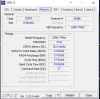
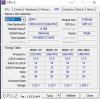
CPUZ screenshots attached.
Game: Rainbow Six Siege @ Lowest settings for competitive 1080P.
Specs:
Ryzen 5 2600.
RX 580 8GB.
8GB Single Stick Ram @ 2800mhz. My motherboard has only 2 slots, I put stick in second slot to CPU.
OBS Settings:
Encoder x264
Fast/VeryFast used both.
Bitrate 6000
Base 1080
Scaled 720@60fps i used 30 as well but video still blurry and game lagging.
Profile High.
Sorry for hijacking this post, but I am facing this same issue. No setting seem to work for me! The video is always blurry and if I use x264 my game lags. I am only recording game with OBS no filter or browser sources as well, still it lags. I have the same specs as Easydoor. Please help!
CPUZ screenshots attached.
Game: Rainbow Six Siege @ Lowest settings for competitive 1080P.
Specs:
Ryzen 5 2600.
RX 580 8GB.
8GB Single Stick Ram @ 2800mhz. My motherboard has only 2 slots, I put stick in second slot to CPU.
OBS Settings:
Encoder x264
Fast/VeryFast used both.
Bitrate 6000
Base 1080
Scaled 720@60fps i used 30 as well but video still blurry and game lagging.
Profile High.