hello, im new here on forums.
need your help!
guys i cant stream with push to talk no idea how set up it.
i need game sound on but my voice when pushing to talk!
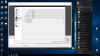
Go to your Hotkeys and scroll down to Mic/Aux. You can set it there. Just make sure Enable Push-To-Talk is checked in Audio and you selected a microphone in Mic/Aux Audio Device.
Go to your Hotkeys and scroll down to Mic/Aux. You can set it there. Just make sure Enable Push-To-Talk is checked in Audio and you selected a microphone in Mic/Aux Audio Device.
Hi, I have it set up, and I can use hotkeys to 'start recording' and 'stop recording', but 'push to talk' and 'mute' doesn't seem to work. I only want to record sound for an audiobook. I need to 'pause' and 'continue' while not making a whole new mp4 file each time. What am I doing wrong? Thanks, 14 hours on this!!
It's not possible to pause and resume a recording with OBS. If you only want to record and process audio, it might be better to get an app that is specialized for audio, for example Audacity.
This site uses cookies to help personalise content, tailor your experience and to keep you logged in if you register.
By continuing to use this site, you are consenting to our use of cookies.