mcdaniel480
New Member
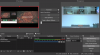
I am new to OBS, and I am having problems getting my powerpoint to show in my preview screen by itself (i.e. without the monitor). Right now I am running my powerpoint on an external MacBook using NDI to my iMac that has OBS. I am also running my PPT to a monitor from the same MacBook. Essentially, I am wanting my presenter screen to look like my monitors, but I am getting both within my OBS PREVIEW screen. I am not very techy, so please any help would be appreciated!