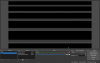
This is an issue on my Macbook Pro used to replace my old Macbook. When I added Display Capture, I got a cropped part of my screen instead of the full thing. Please help!
That would indicate a difference in dimensions between your display's native resolution and your canvas resolution as set in Settings > Video.
You can fit the desktop capture to the window by right-clicking it in the Source pane, choosing "Transform" from the pulldown and choosing "fit to screen"
This site uses cookies to help personalise content, tailor your experience and to keep you logged in if you register.
By continuing to use this site, you are consenting to our use of cookies.