
Fly Scoreboard

Free Fly Scoreboard 4.3.0

Thank you for creating this. I'm using Windows 11 and installed this today using the .exe file. Unfortunately I don't see the scoreboard appear on my screen when I add it as a source to a scene. Is there something I need to do on the server end regarding a firewall that I'm missing? Also, the file folder containing the .json plugin doesn't contain an HTML file. Is that maybe the issue? Thanks for any help on this!
 
Thank you for creating this. I'm using Windows 11 and installed this today using the .exe file. Unfortunately I don't see the scoreboard appear on my screen when I add it as a source to a scene. Is there something I need to do on the server end regarding a firewall that I'm missing? Also, the file folder containing the .json plugin doesn't contain an HTML file. Is that maybe the issue? Thanks for any help on this!
Actually, I managed to solve it manually. I downloaded the zip file and manually extracted the contents to the correct folder and that seemed to work. Perhaps the .exe needs some tweaking? Thanks anyway! Great plugin!
 
Actually, I managed to solve it manually. I downloaded the zip file and manually extracted the contents to the correct folder and that seemed to work. Perhaps the .exe needs some tweaking? Thanks anyway! Great plugin!
Hello, glad you figured it out, there are still a lot of things that need to be fixed indeed and the documentation is lacking a lot of features and data information. Right now the focus is on adding one last missing feature, toggle timers, then I'll start cleaing up the code a little bit then focus on the documentation because right now is lacking a lot of stuff. Please join my discord server to keep in touch with the future development and get early access to newest builds and details https://discord.gg/2yD6B2PTuQ
 
MMLTech updated Fly Scoreboard OBS Studio Lightweight Dockable Scoreboard Plugin with a new update entry:

Fly Scoreboard v2.1.4

  • Improved versioning preset for cleaner, more consistent release management.
  • Optimized local webserver health-check, significantly reducing unnecessary polling and improving overall responsiveness.
  • Updated plugin script architecture to support the newly introduced team color system
    (Requires updating your custom overlays to match the new structure.)
  • Added a dedicated Start/Stop Webserver button directly in the dock for faster...

Read the rest of this update entry...
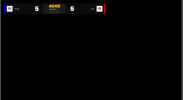
 
Just started on the scoreboard and getting partially there.

What does this instruction mean? Where should I find this green indicator?


When I show the dock, I get this:

But nothing about the scoreboard. I set home and away teams but am not getting anything.

I looked in some of the folders such as:
and

[EDIT] Same problem as @lockerbycomposite. When I used the zip file to populate the resources directory it worked.
 
Last edited:
First attempt is looking great after unzipping the resource folder.

My quick observation is that it might be nice to have the "Period" or "Half" timer have an integer value that can be easily incremented as the periods, rounds or halves progress. Minor thing and I will look into the source code to see if I can add that. For now I can just rename the timer from "Round 1" to "Round 2" and then "Round 3".

Thank you!

[edit] I just noticed that the "Score" stat is showing up under the timer as Period. This would be great if I could then just hide the original timer name.

2026-01-15 22_38_14-OBS 32.0.4 - Profile_ Untitled - Scenes_ Untitled.png


[edit-2] Simply having a blank timer name removes it. This now works perfectly for me but hacking the Home-Score to be the period number is not a great solution. But can't argue with it working!!!
 
Last edited:
What is the easiest way to reload css edits to an active stream? I tweaked the text color in the timer name (score pill) so that it is not dark text on dark background.

Thank you.
 
I am not a terribly gifted OBS user, I'm having trouble launching the scoreboard in OBS. Any help with getting it launched would be appreciated.
 
請問能否調整一下球隊名稱的字體大小?它在我的螢幕上顯示得太小了。
 

Attachments

  • 螢幕擷取畫面 2026-01-30 175017.png
    螢幕擷取畫面 2026-01-30 175017.png
    11.1 KB · Views: 25
Big fan of this plugin, would love to see it have a few more customization options -- i couldnt get the bars on the circle-theme ray=style to be quite as chunky as id like.

The ultimate goal would be to be able to use my greenscreen cam's silhouette itself instead of a circle-themed one surrounding me, creating the impression that the audio signal was just coming off of my skin. Not sure how that would be implemented but that'd be ideal.

That is just a default theme to show you how the plugin works, you an adjust the scoreboard by playing with the CSS file

First attempt is looking great after unzipping the resource folder.

My quick observation is that it might be nice to have the "Period" or "Half" timer have an integer value that can be easily incremented as the periods, rounds or halves progress. Minor thing and I will look into the source code to see if I can add that. For now I can just rename the timer from "Round 1" to "Round 2" and then "Round 3".

Thank you!

[edit] I just noticed that the "Score" stat is showing up under the timer as Period. This would be great if I could then just hide the original timer name.

View attachment 117795


[edit-2] Simply having a blank timer name removes it. This now works perfectly for me but hacking the Home-Score to be the period number is not a great solution. But can't argue with it working!!!

This has been fixed in the last version you can now create single value stats to use for such things

What is the easiest way to reload css edits to an active stream? I tweaked the text color in the timer name (score pill) so that it is not dark text on dark background.

Thank you.

Right now every change that's done in the CSS requires a browser source reload

I am not a terribly gifted OBS user, I'm having trouble launching the scoreboard in OBS. Any help with getting it launched would be appreciated.

Here is a full guide how to setup the scoreboard corectly

請問能否調整一下球隊名稱的字體大小?它在我的螢幕上顯示得太小了。
You can do this very easy by tweaking the CSS parameters
 
Back
Top