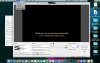
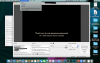
Hello. I recently installed OBS on a MacBook Pro (Retina, 15-inch, Mid-2015) for an upcoming fundraiser. I want to see if there is a way to export my scene collection from the Mac to the Windows PC at my job so we can show it on large projector screens. I learned one way to transfer OBS files from one PC/Mac to another is by using the export/import feature in the scene collection or profile option of the menu. I do not have that choice. Reference the attached picture. I have watched other Youtube videos and even did a screen share with a colleague with a Mac. I tried reinstalling it and it did not work either. I want to uninstall and reinstall it from the beginning but don't want to risk rebuilding all of my screens. She downloaded it on her own work Mac and it gave her the option to export/import. I am trying to troubleshoot how to find export or import in the menu settings up top. I am not finding it and I am not sure what to do. Please advise. Thank you in advance for any direction you can provide.
Export/Import options not showing up in OBS for Mac
- Thread starter Sammers
- Start date